When are rewards sent?
Audience: Marketers and admins
A customer earns a reward when the ask they completed has a reward attached and their submission is approved. What happens next depends on your Reward release setting and the reward’s delivery type.
The short version
| Your setup | When the reward is issued |
|---|---|
| AI verification off | When you approve the submission. |
| AI verification on, Send automatically when verified | As soon as the submission is verified. |
| AI verification on, Wait for your approval | Only after you approve the reward from the submission in Inbox. |
Once issued, a reward with a reward connection is sent automatically. A Manual by team reward appears in Activity as Ready to send until your team sends it and clicks Mark as sent.
Choose whether rewards wait for you
The Reward release setting is under Settings › AI verification and applies when AI verification is on.
- Send automatically when verified: we send the reward as soon as the submission is verified.
- Wait for your approval: verified rewards are held until someone on your team approves them.
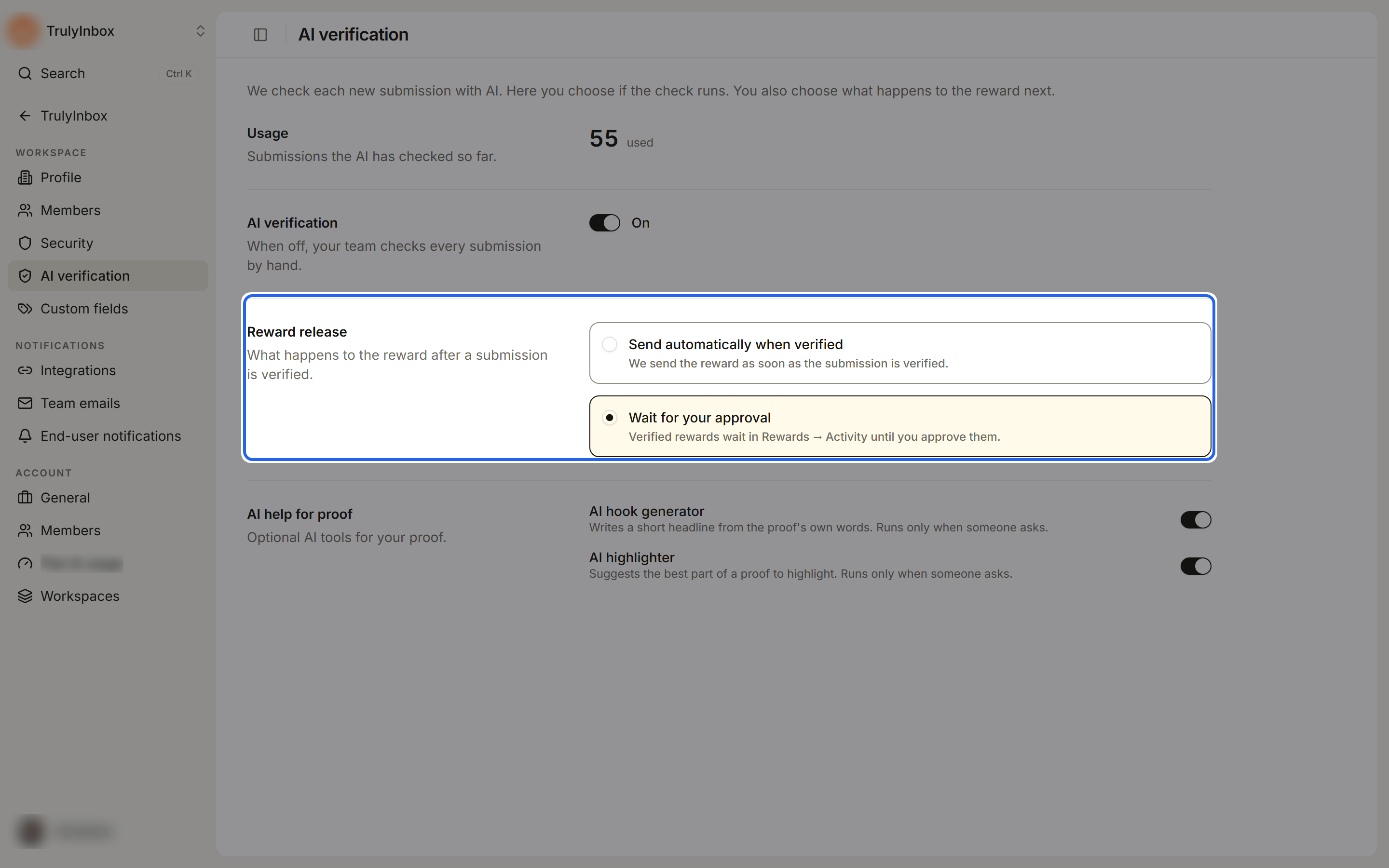
Use Wait for your approval if you want a person to check every reward before it goes out, for example when rewards have real cost.
Release a held reward
With Wait for your approval, a verified submission’s reward waits on the submission itself.
- Open Inbox and click the submission.
- In the status panel, check the line under the status, for example “Approve +100 emails/day to send it.”
- Click Approve & send followed by the reward, for example Approve & send +100 emails/day. For some rewards, such as gift cards, the button reads Approve & reward.
The reward is issued and appears in Activity. See Send rewards after approval for the full steps.
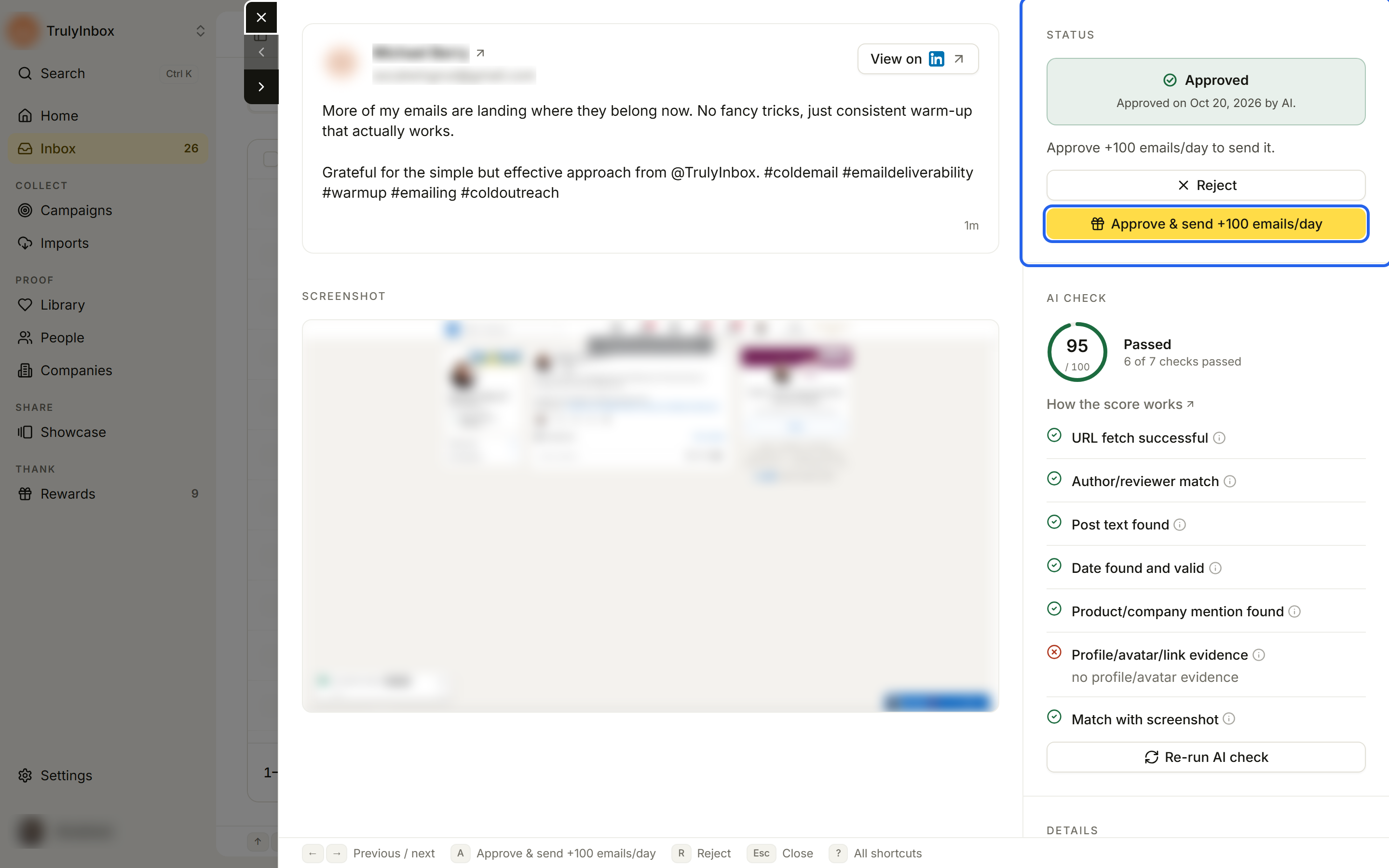
While a reward is held, the submission’s Reward detail explains what is needed, for example “Not sent yet. The reward needs a separate approval.” When you approve a submission yourself, it reads “Needs a separate approval after you approve the submission.”
When you reject a submission
If you reject a submission before its reward is sent, the reward is cancelled and nothing is sent. It moves to the Cancelled tab in Activity with the reason “Not sent: you rejected this submission.” You don’t need to do anything else.
What customers see
Customers see the reward’s Description for customers on your campaign before they submit. They don’t see whether a reward is held or waiting.