Ask for social posts and engagements
A campaign can ask for two kinds of social proof on LinkedIn, X, Facebook and Reddit:
- Post: the customer writes their own post about you.
- Engagement: the customer acts on one of your posts or pages, such as Like, Comment, Reshare, Follow or Upvote.
Each post and each engagement is its own option on the campaign page, with its own reward. A platform can hold as many of each as you like.
Before you start
- Open the campaign in the builder: Campaigns → New campaign, or open a campaign and click Edit.
- For engagements, have the link to the post you want people to act on.
- For Follow, have the link to your company page.
Add a social platform
- On the Asks tab, find the Social group and tick the platform.
- Under the platform, click Add a post or Add an engagement. The new item opens its details right away.
- To add your company page, click the platform row and paste it in Company page URL. Follow engagements use it. Reddit has no company page field.
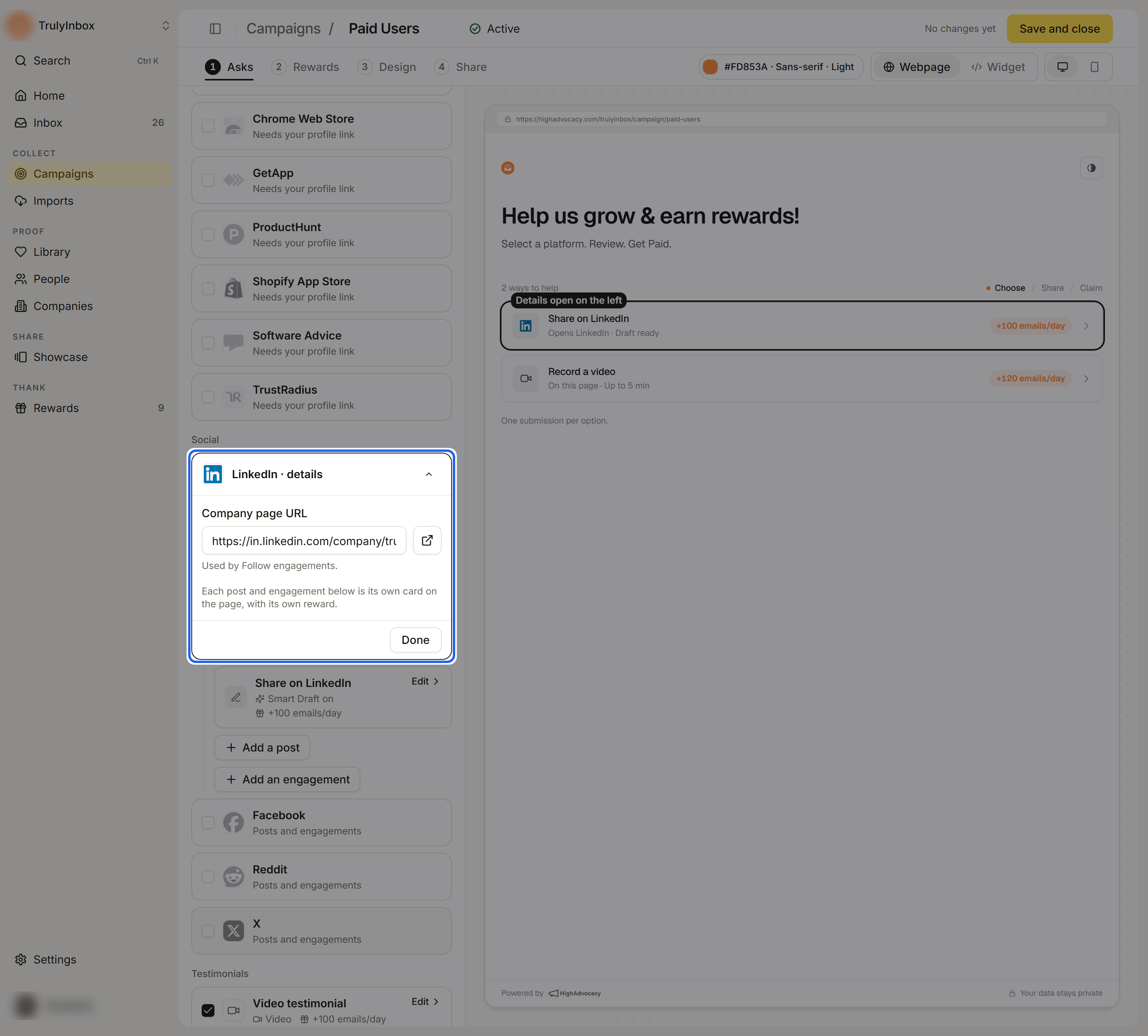
A social platform stays in the campaign while it has a company page link or at least one post or engagement that is on.
Set up a post
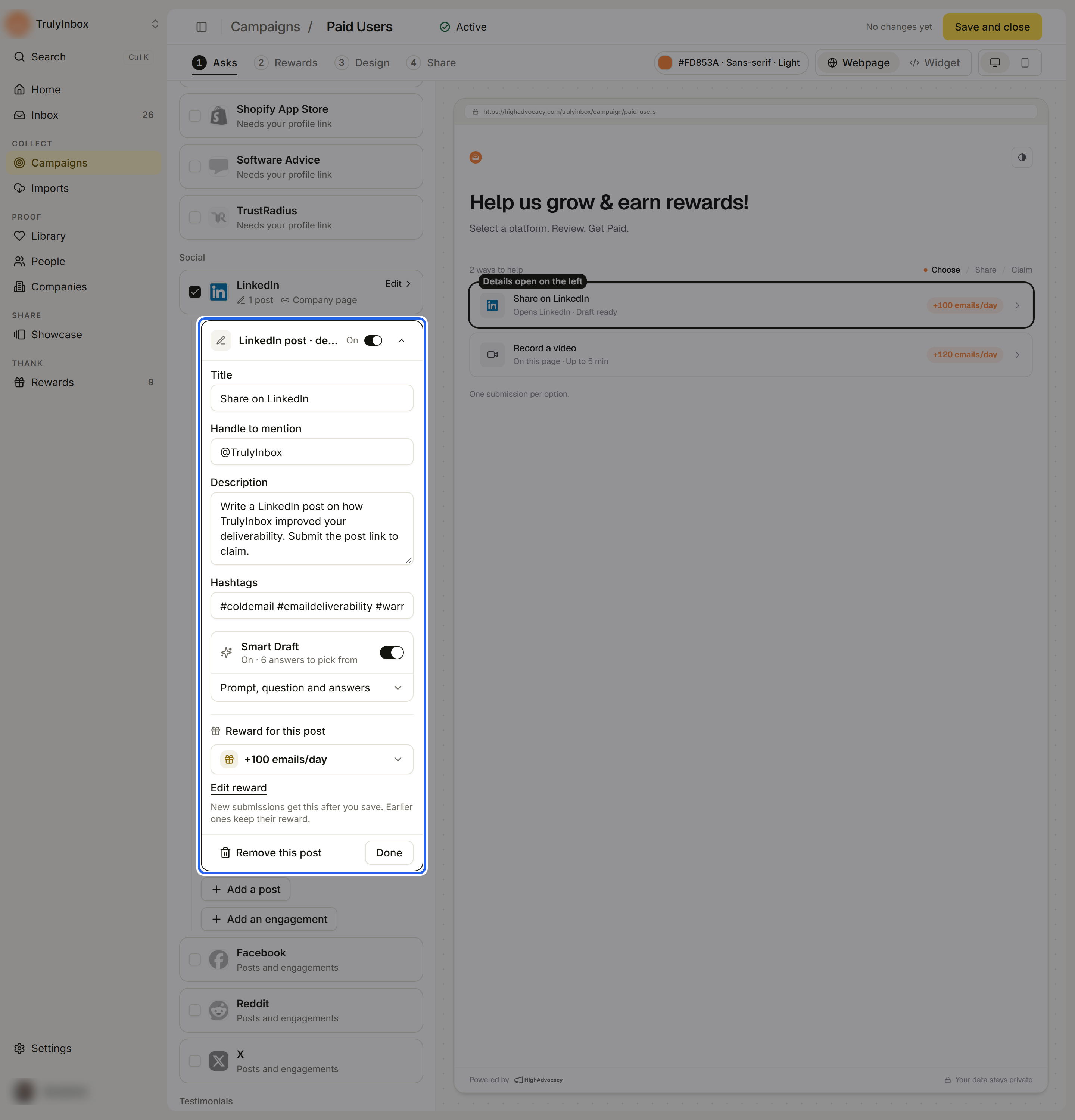
Click the post to open its details.
- Title: the name customers see on the option, for example “Share on LinkedIn”.
- Handle to mention: your account handle, such as @company_handle.
- Description: what the customer should post about.
- Hashtags: separate tags with spaces, for example
#B2B #SaaS. - Smart Draft: turn it on to offer customers a starting draft. It uses your handle and hashtags too. See Help customers write with Smart Draft.
- Reward for this post: pick a reward, or No reward.
- Click Done.
Set up an engagement
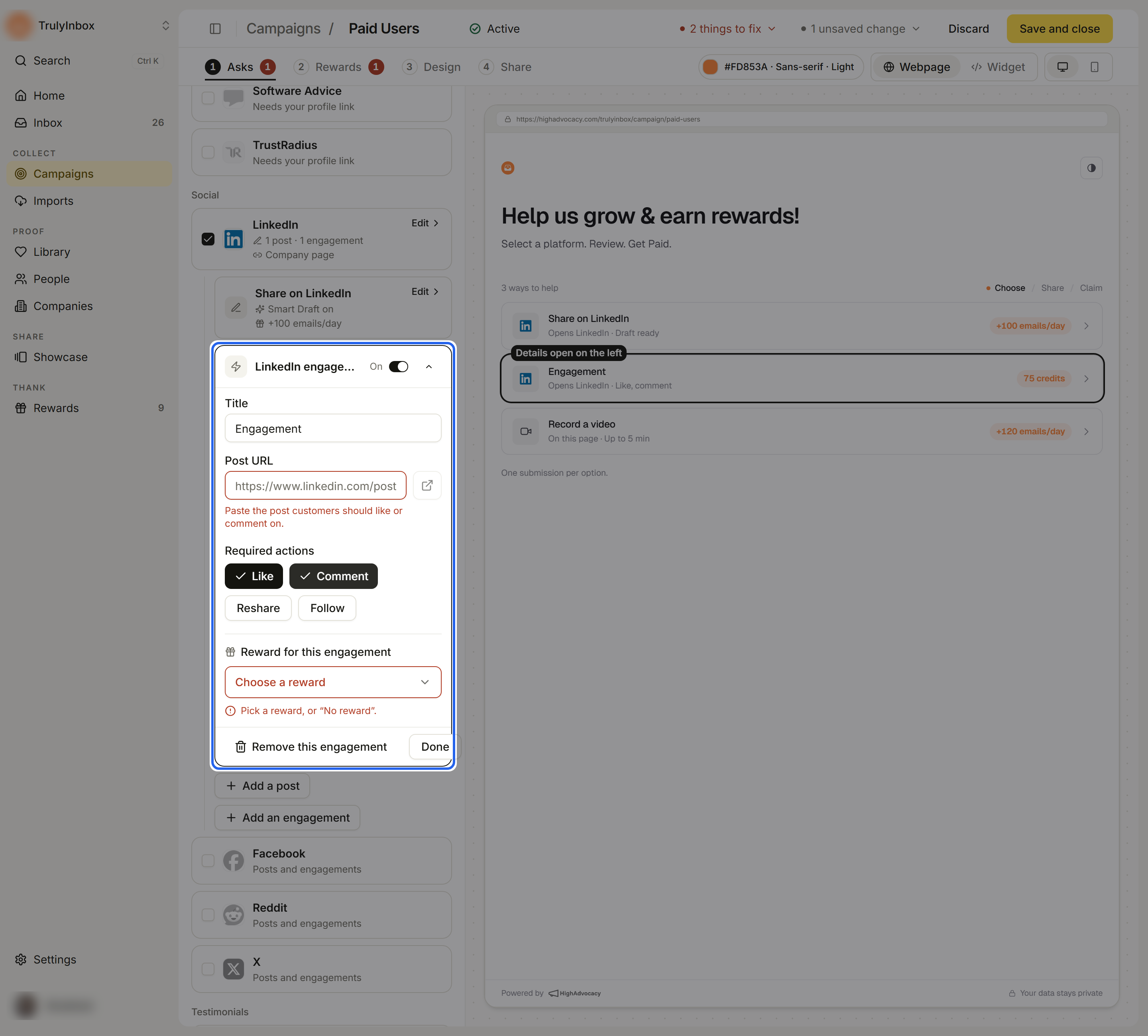
Click the engagement to open its details.
- Title: the name customers see on the option.
- Required actions: click each action you want. Only the actions the platform supports appear. A new engagement starts with one action picked, and it needs at least one.
- Post URL: paste the post customers should act on. This field appears when you pick any action other than Follow. One post link covers every action in the engagement.
- Reward for this engagement: pick a reward, or No reward.
- Click Done.
If you pick Follow but the platform has no company page yet, you see “Follow uses your company page link.” Click Add it in the platform details to fill it in.
An engagement with an empty Post URL blocks Go live with “Name needs a post URL”.
Turn off or remove a post or engagement
- Use the switch at the top of its details to hide it from customers without deleting it. The row then reads Off · hidden from customers.
- Click Remove this post or Remove this engagement to delete it from the campaign.
What customers see
Customers pick a post or an engagement as its own option. For a post, they can get draft help, post on the platform, then send the link to their post and a screenshot. For an engagement, they do each action you asked for and send proof for each one. See What customers see and What proof customers send.