Add a testimonial manually
Use the manual form for a single testimonial that has no page or file to import from: a line from a customer call, a sentence in an email, or a video someone recorded outside a campaign.
Before you start
- Have the reviewer’s name, email, and company ready. The email and company link the testimonial to a Person and a Company.
- Have the original date of the testimonial. It can’t be in the future.
Add a written testimonial
- Open Collect › Imports.
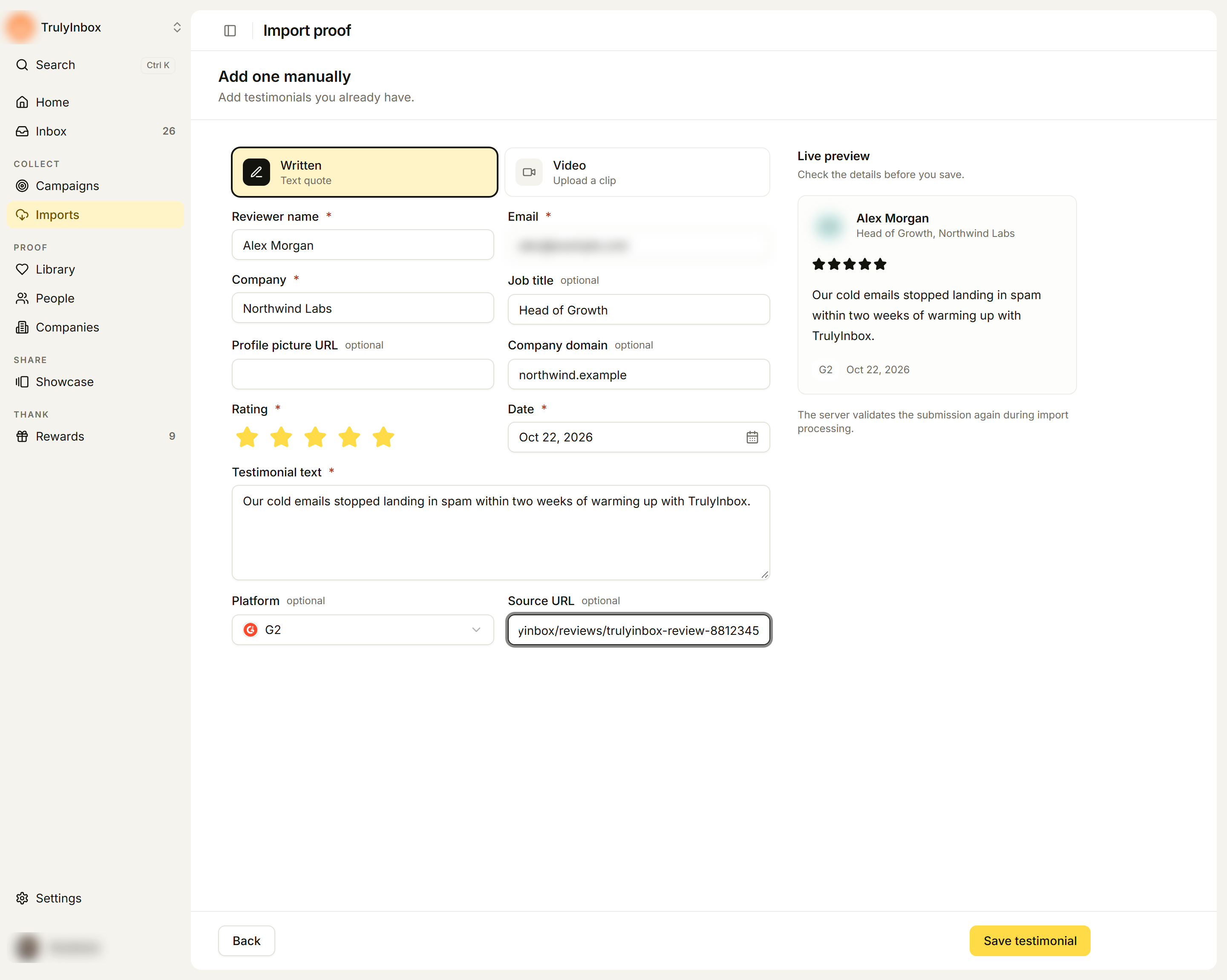
- Under Other ways to import, click Add testimonial. The Add one manually page opens.
- Choose Written (Text quote).
- Fill in the fields:
| Field | Required | Notes |
|---|---|---|
| Reviewer name | Yes | |
| Yes | Matches or creates the Person | |
| Company | Yes | Matches or creates the Company |
| Job title | No | |
| Profile picture URL | No | A link to the reviewer’s photo |
| Company domain | No | For example example.com. Improves Company matching |
| Rating | Yes | 1 to 5 stars |
| Date | Yes | When the testimonial was given |
| Testimonial text | Yes | The quote |
| Platform | No | Where it came from, such as G2, Capterra, Trustpilot, or LinkedIn. Defaults to Text Testimonial. Choose Other if it is not listed |
| Source URL | No | A link to the original. Shown once you pick a platform such as G2 |
- Check the Live preview on the right.
- Click Save testimonial.
When Platform is LinkedIn, Facebook, Reddit, or X, Rating and Date become optional, because posts on those sites have no star rating.
Add a video testimonial
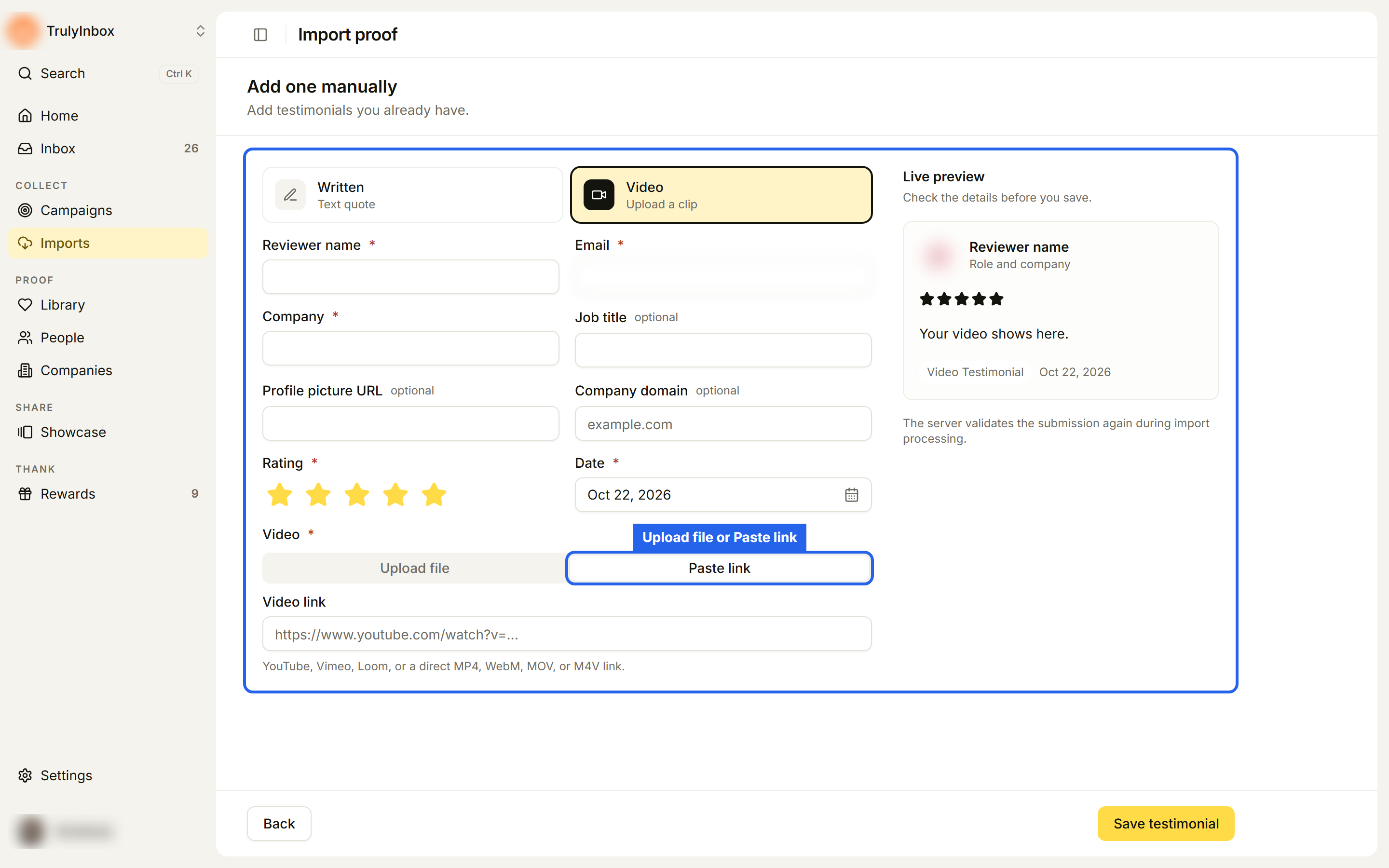
- On Add one manually, choose Video (Upload a clip).
- Fill in the reviewer, company, rating, and date fields.
- Under Video, choose one tab:
- Upload file: drop an MP4, WebM, or MOV file on Drop a video here. The size and length limits are shown in the upload area.
- Paste link: paste a Video link from YouTube, Vimeo, or Loom, or a direct link to an MP4, WebM, MOV, or M4V file.
- Click Save testimonial.
Video testimonials are saved with the platform Video Testimonial.
What happens next
After you save, the import result page opens. The testimonial is added to the Library, marked Imported, and linked to its Person (matched by email) and Company (matched by domain). There is no Select or Confirm step for manual entries.
Troubleshooting
“Enter a YouTube, Vimeo, Loom, or direct video link” Links to other video sites, or to a page that only contains a video, are not supported. Upload the file instead.
The video won’t upload. Check it against the size and length shown in the upload area. Trim or compress it and try again.
The video uploaded but won’t play. MOV files recorded with codecs such as ProRes often don’t play in browsers. Export the video as an H.264 MP4.
I have many testimonials to add. Use Import from a spreadsheet. The manual form adds one at a time.