Edit a person’s profile
HighAdvocacy fills in each person’s profile from their submission, their import, and public details we look up. When something is wrong or missing, you can fix it from the person’s record.
Before you start
- You need a role that can edit people. See Roles and permissions.
- You can’t change a person’s email. The field is shown but locked.
Edit the profile
- Open People and click the person.
- Click Edit at the top right of the record. You can also click Edit next to Social reach.
- The middle column switches to Editing profile. Change what you need in each section (see below).
- Click Save profile. You’ll see Profile saved.
To leave without saving, click Cancel. Nothing changes until you click Save profile, and the button stays off until you change something.
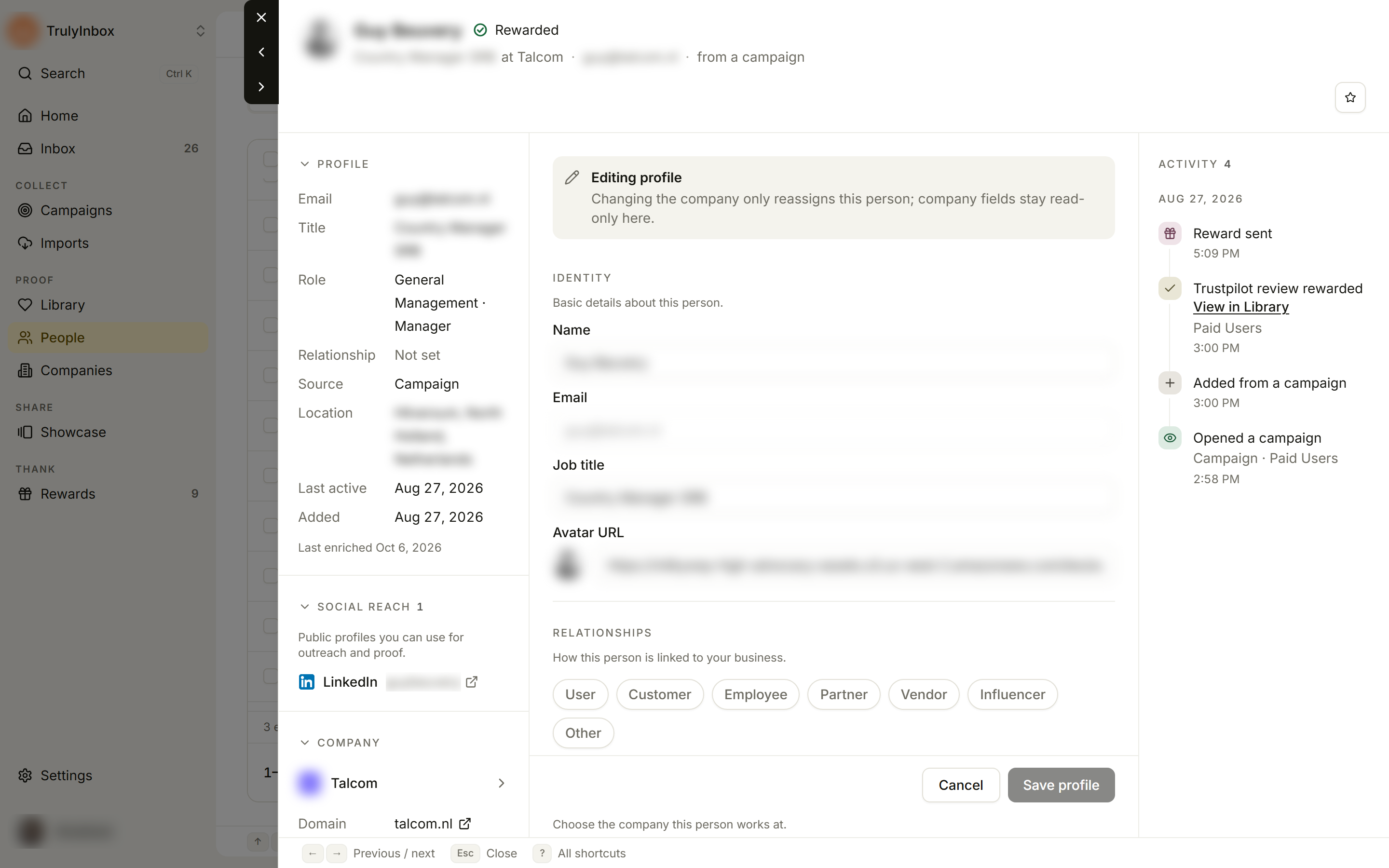
Identity
- Name (required)
- Email (shown, can’t be changed)
- Job title
- Avatar URL: a link to an image. The preview next to the field updates as you type.
Relationships
Click each relationship that applies: User, Customer, Employee, Partner, Vendor, Influencer, or Other. A person can have more than one, and needs at least one.
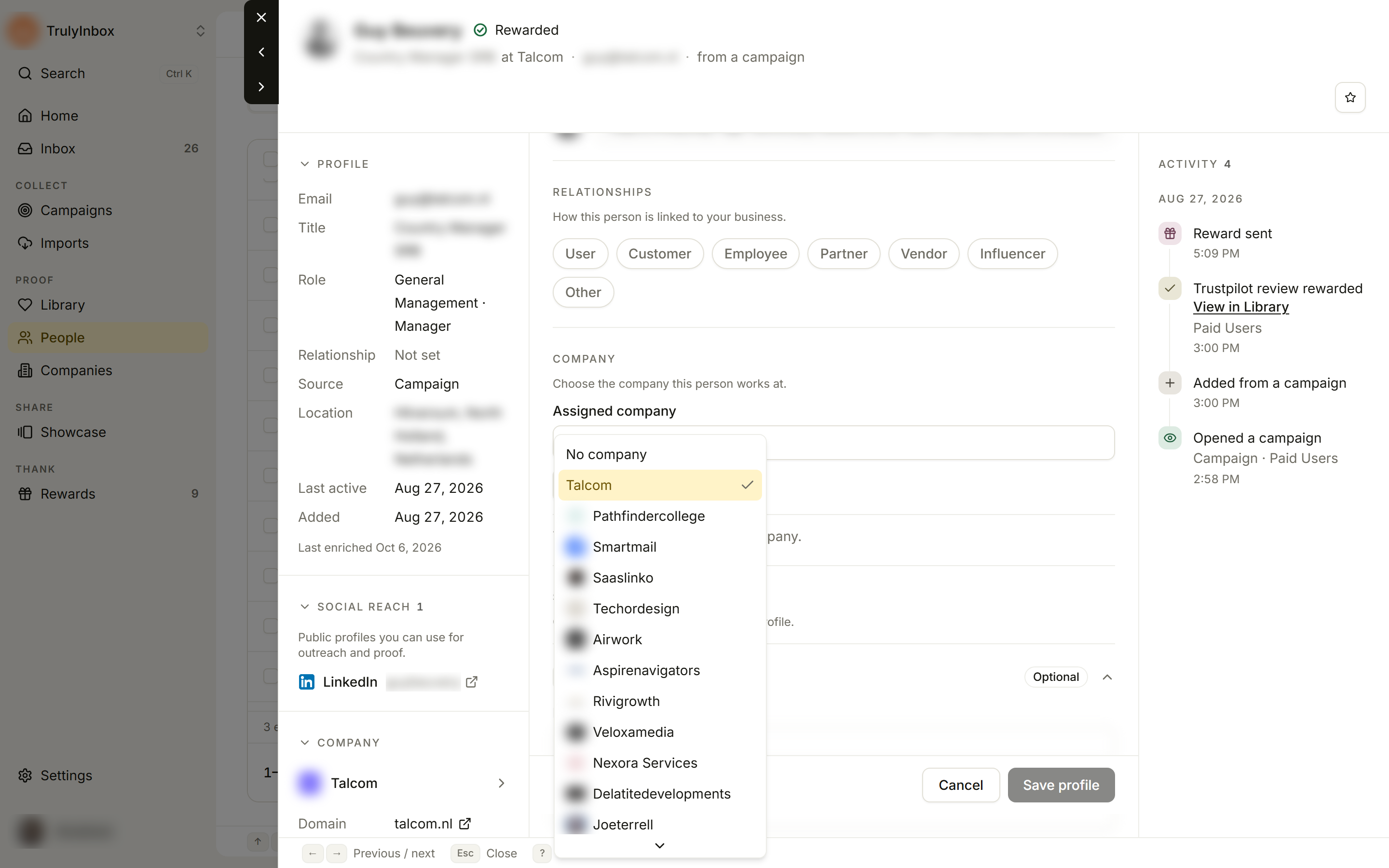
Company
Use Assigned company to move the person to another company:
- Type in Search companies… to narrow the list.
- Pick the company from the list, or pick No company to unlink them.
When a company is picked, you see its Domain, Industry, Size, and ARR, and an Open company button. This only moves the person. To change the company’s own details, open the company. See Company details and enrichment.
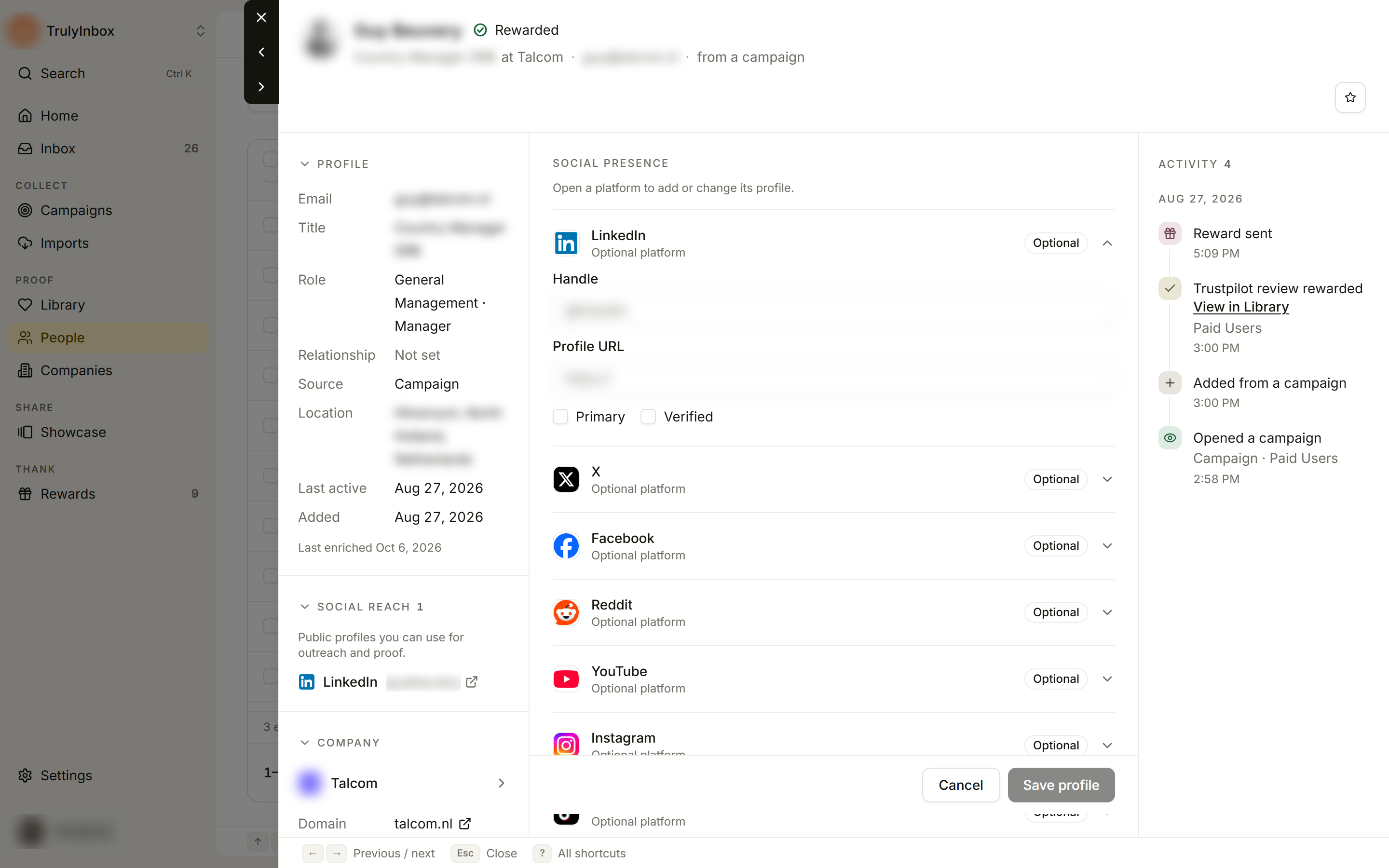
Social presence
Each platform (LinkedIn, X, Facebook, Reddit, YouTube, Instagram, TikTok) shows Connected when it has a profile and Optional when it doesn’t. Click a platform to open it, then fill in:
- Handle
- Profile URL
- Primary and Verified: optional ticks.
Click Clear to remove a platform’s profile.
Fields you edit without Edit mode
Some fields save as soon as you change them, right in the record’s left column:
- Relationship in Profile: pick a value from the list. This changes the person’s main relationship. Any others show below as Also ….
- Custom fields: type a value and press Enter or click away. See Custom fields.
- Tags: click Add tag, type a Tag name, and press Enter. Click × on a tag to remove it.
If saving fails
| Message | Fix |
|---|---|
| Name is required | Enter a name. |
| Enter a valid avatar URL | Use a full link that starts with https://, or clear the field. |
| Select at least one relationship | Click at least one relationship. |
| Enter a handle and a profile URL, or leave both empty. | Fill in both fields for that platform, or clear both. |
| Enter a valid profile URL | Use the full profile link, starting with https://. |
| We couldn’t save the profile. Try again. | Check your connection and click Save profile again. |
Related
- Person and company drawers
- Tag, update, and export in bulk: set a relationship or tag for many people at once.
- Custom fields