Ask for video and written testimonials
A campaign can collect two kinds of testimonial, straight on the campaign page:
- Video testimonial: customers record a short video, or upload one.
- Written testimonial: customers write a few lines.
You can add one of each to a campaign. Each has its own reward.
Before you start
Open the campaign in the builder: Campaigns → New campaign, or open a campaign and click Edit.
Add a testimonial
- On the Asks tab, find the Testimonials group.
- Tick Video testimonial, Written testimonial, or both.
- Click a ticked row to open its details.
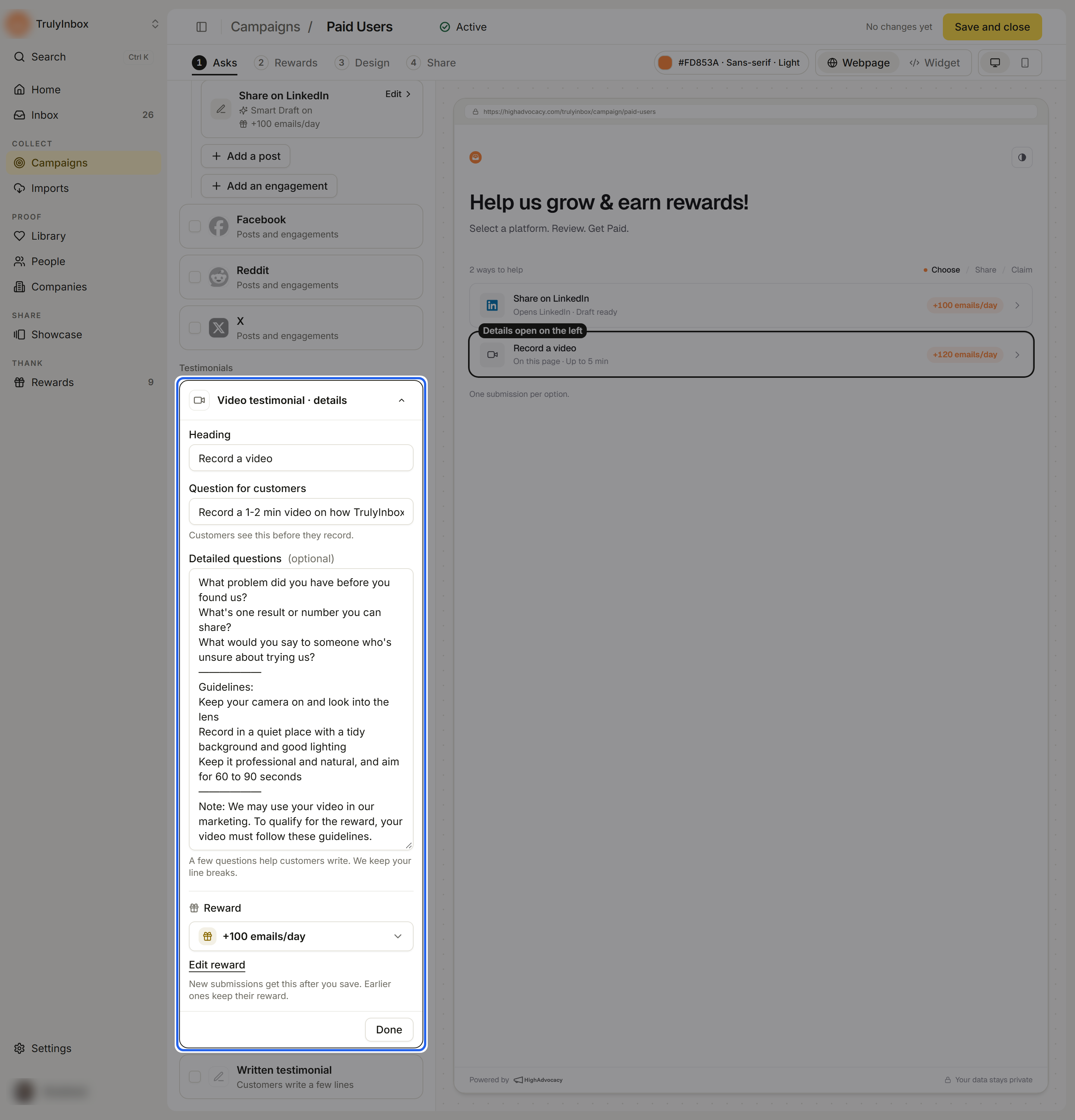
Set up a video testimonial
- Heading: the title of the option, for example “Record a video”.
- Question for customers: the main question. Customers see this before they record.
- Detailed questions (optional): a few prompts, one per line. Customers see each line as a separate point. Up to 4,000 characters.
- Reward: pick a reward, or No reward.
- Click Done.
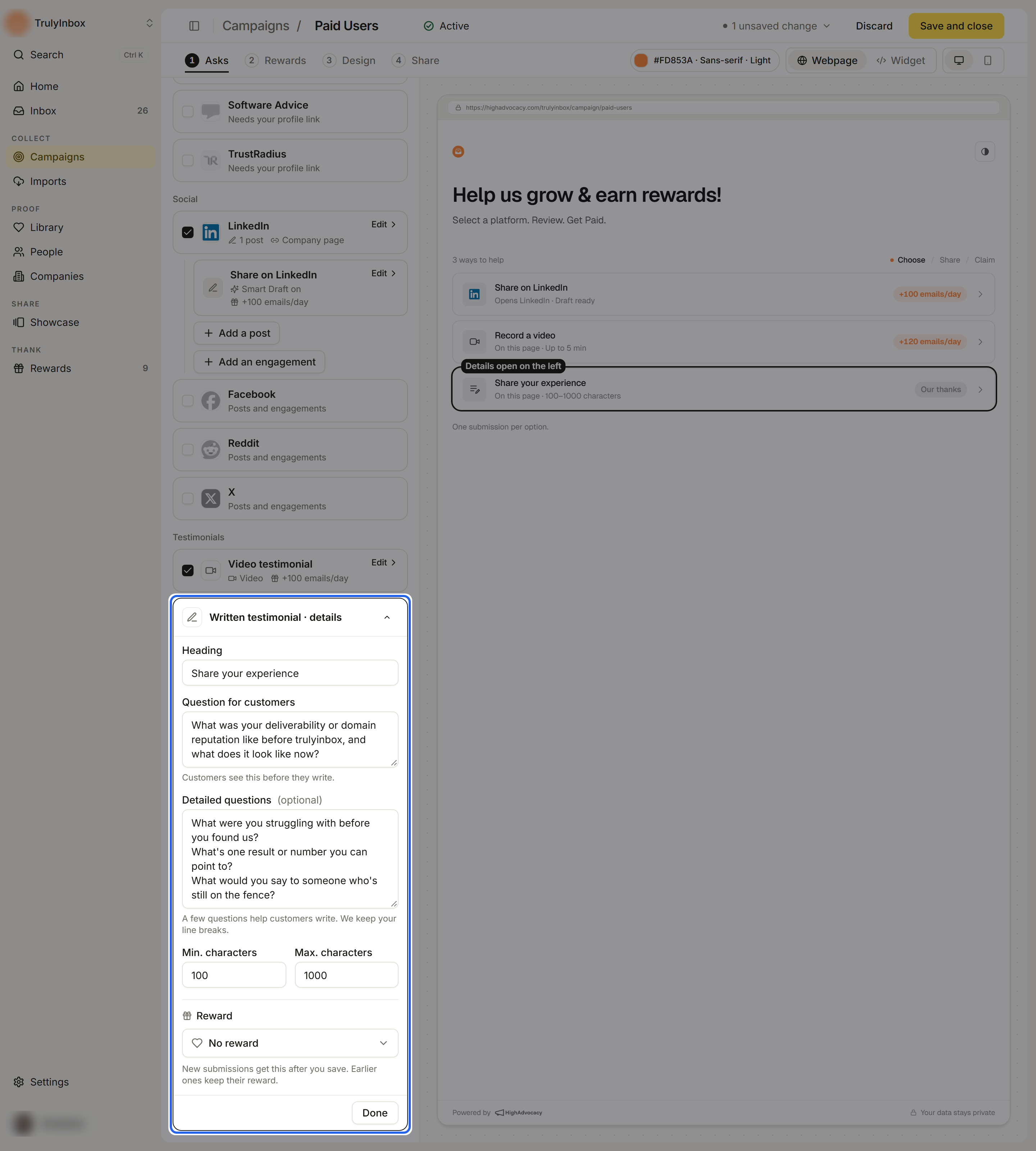
Set up a written testimonial
- Heading: the title of the option, for example “Share your experience”.
- Question for customers: the main question. Customers see this before they write.
- Detailed questions (optional): prompts, one per line, up to 4,000 characters.
- Min. characters and Max. characters: how long the testimonial must be. The defaults are 100 and 1,000. The minimum must be less than the maximum, or Go live is blocked.
- Reward: pick a reward, or No reward.
- Click Done.
Tips for good prompts
- Ask one clear main question, such as “What problem did we solve for you?”
- Use Detailed questions for two or three short follow-ups: the problem before, one result, who they would recommend you to.
- Keep the minimum low enough that a busy customer can finish in a couple of minutes.
What customers see
- Video: they record in the browser or upload a file (MP4, MOV or WebM, up to 60 MB). The page shows the longest video it accepts. They can watch it back and record again before sending.
- Written: they write in a box that counts characters and shows how many more they need.
- For both, they give a star rating, their name and work email, and confirm you can feature the testimonial with their name.
See What customers see for the full walk-through.
Related
Last updated on