Library
The Library (sometimes called the Proof Library) holds every piece of customer proof your workspace can use: reviews, social posts, video testimonials and written testimonials. Open it from the sidebar under PROOF > Library.
Proof gets here two ways:
- From a campaign. A submission lands in the Library once it is approved in Inbox. There is no separate publish step.
- Imported. Proof you bring in through Imports is marked Imported. We don’t check imported proof, so read it before you use it.
Pending and rejected submissions never show here. They stay in Inbox.
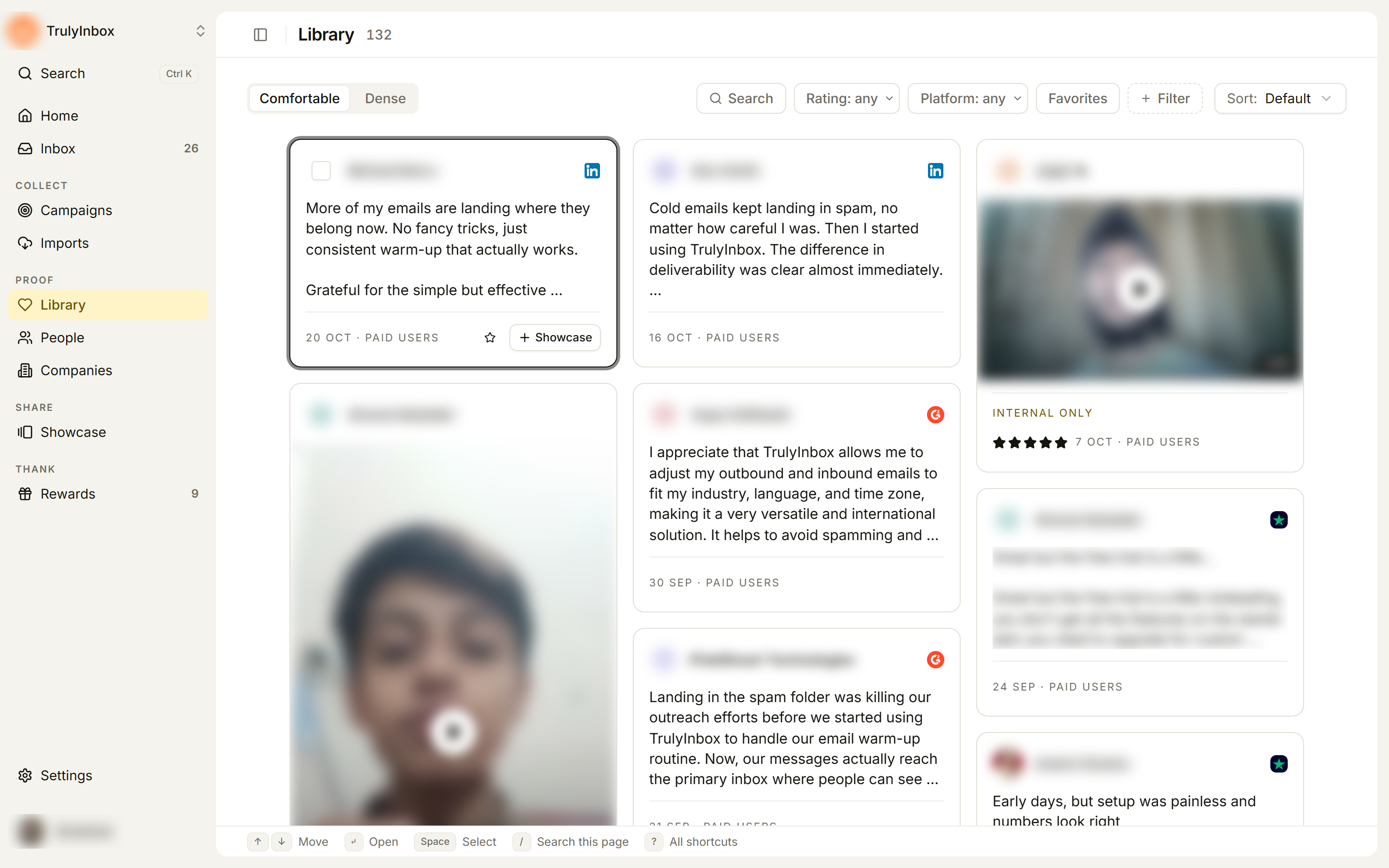
What you can do here
- Find proof with search, filters and sort.
- Open a proof to read the full text, see where it came from and where it is used.
- Favorite and tag proof so you and your team can find the right piece later.
- Add a hook and highlights: a short headline and the phrases you want to stand out on showcase cards.
- Add proof to a showcase, one at a time or many at once.
The customer’s words are never edited. The proof text stays exactly as it was submitted or imported.
To design and publish proof on your website, use Showcase. The Library is where you pick and prepare the proof; Showcase is where it goes public.
Layouts, search, filters, sort, and what each card shows.
Browse and filter proofThe proof drawer: media, text, where it is used, details and activity.
Open a proofLabel proof in your own words and star your go-to pieces.
Tag and favorite proofWrite or generate a short headline, and mark the best phrases.
Add hooks and highlightsSelect proof and add it to a showcase, tag it, favorite it or enhance it with AI.
Work with many proofs at onceWhen the Library is empty or small
- No proof yet. The page reads “Your approved proof shows up here.” with Import reviews and Create campaign buttons.
- 7 proofs or fewer. Cards show larger and a getting-started panel suggests one next step, such as putting your proof on your website, generating hooks, or tagging your proof. You can dismiss the panel. The Comfortable and Dense layout tabs appear once you have more than 7 proofs.