Reward connection payload and signing
Audience: Developers who build the endpoint behind a reward connection
When a reward with delivery set to Reward connection is issued, HighAdvocacy sends a request with the reward’s data to the connection’s URL. This page describes that data as the in-app Data preview shows it.
See the exact data for your reward
- Open Rewards, then the Catalog tab, and open (or create) a reward.
- Under Delivery, choose Reward connection.
- In the Data preview section, click Show preview. The preview updates as you type. Click the copy icon to copy it.
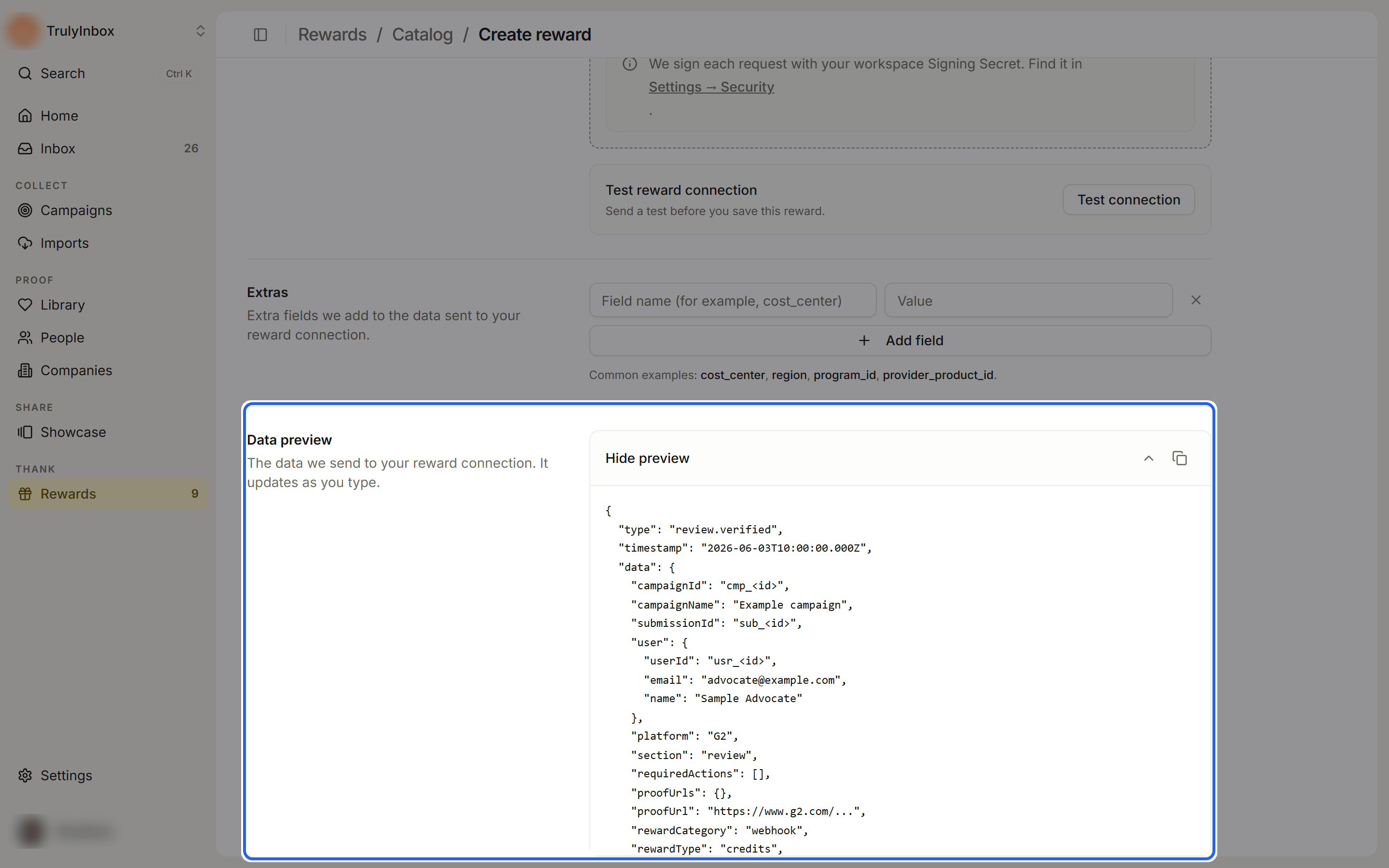
Example
This is the Data preview for a Credits reward worth 100 credits. Values in angle brackets are placeholders; real requests carry real IDs, names, and dates.
{
  "type": "review.verified",
  "timestamp": "2026-06-03T10:00:00.000Z",
  "data": {
    "campaignId": "cmp_<id>",
    "campaignName": "Example campaign",
    "submissionId": "sub_<id>",
    "user": {
      "userId": "usr_<id>",
      "email": "advocate@example.com",
      "name": "Sample Advocate"
    },
    "platform": "G2",
    "section": "review",
    "requiredActions": [],
    "proofUrls": {},
    "proofUrl": "https://www.g2.com/...",
    "rewardCategory": "webhook",
    "rewardType": "credits",
    "rewardAmount": 100,
    "rewardName": "100 product credits",
    "rewardDescription": "Get 100 product credits when we approve your submission.",
    "rewardId": "rwd_<id>",
    "issuedRewardId": "rws_<id>",
    "name": "100 product credits",
    "delivery": {
      "type": "connection",
      "connection": "Gift card sender"
    },
    "extras": {},
    "status": "verified",
    "isTest": false
  }
}
Fields
| Field | Meaning |
|---|---|
type | The event. review.verified in the preview. |
timestamp | The time of the event. |
data.campaignId, data.campaignName | The campaign the submission came from. |
data.submissionId | The submission that earned the reward. |
data.user | The customer: userId, email, and name. Use these to find the account to credit. |
data.platform, data.section | Where the proof was posted (for example G2) and what kind it is (for example review). |
data.proofUrl, data.proofUrls, data.requiredActions | Links to the proof and any required actions for the ask. |
data.rewardType | credits, giftcard, or custom. |
data.rewardAmount | The number: credits to send, gift card value, or the custom reward value. It is a plain number, not a formatted label. |
data.rewardName, data.name | The reward name from the catalog. |
data.rewardDescription | The reward’s Description for customers. |
data.rewardId | The catalog reward. |
data.issuedRewardId | This issued reward. Use it to avoid processing the same reward twice. |
data.delivery | type and the connection name. |
data.extras | The key and value pairs you added under Extras on the reward, for example { "cost_center": "marketing" }. |
data.status | verified in the preview. |
data.isTest | false for real rewards. |
data.rewardCategory is always webhook for rewards sent through a connection.
Custom headers
Any Custom headers you add on the connection (for example an API key) are sent with every request. See Send rewards automatically.
Check the signature
Each request is signed with your workspace signing secret. The signature is in the X-HighAdvocacy-Signature header. Find the secret under Settings › Security › Signing secret, and use it on your server to confirm a request came from HighAdvocacy. Reject requests whose signature doesn’t match.
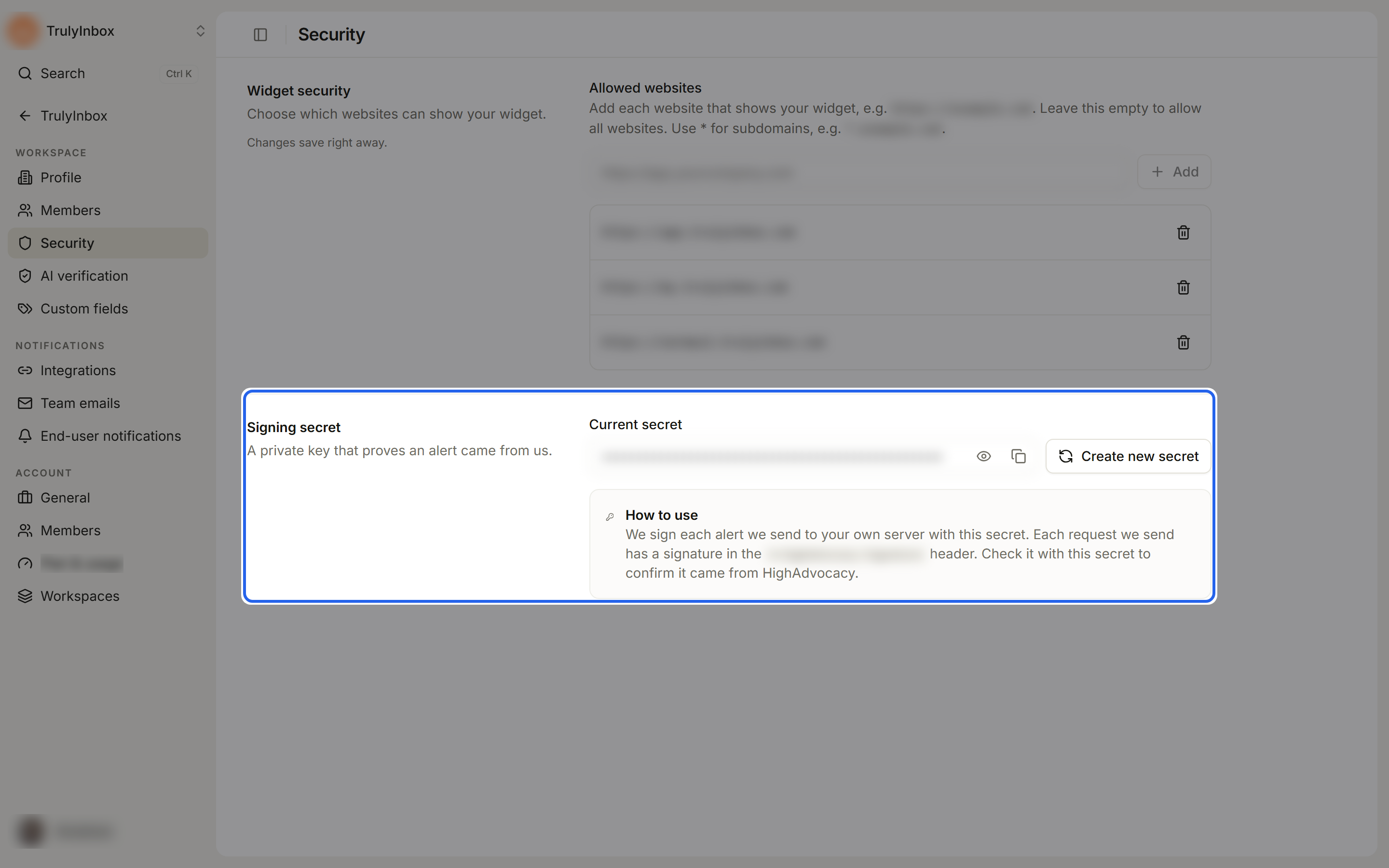
Create new secret replaces the secret. The current secret stops working right away, so update your server at the same time.
Respond quickly
Answer within 30 seconds. A request with no answer in time is marked Failed with “Your reward connection didn’t answer in time.” A response with an error status (for example 401, 404, or 500) is also marked Failed, and your team can retry it from Activity. See Reward activity.