Open a proof and see its details
Click any card in the Library to open the proof drawer. It shows the full proof, where it came from, where it is used, and everything that has happened to it. You can also favorite it, tag it, add a hook and highlights, and add it to a showcase from here.
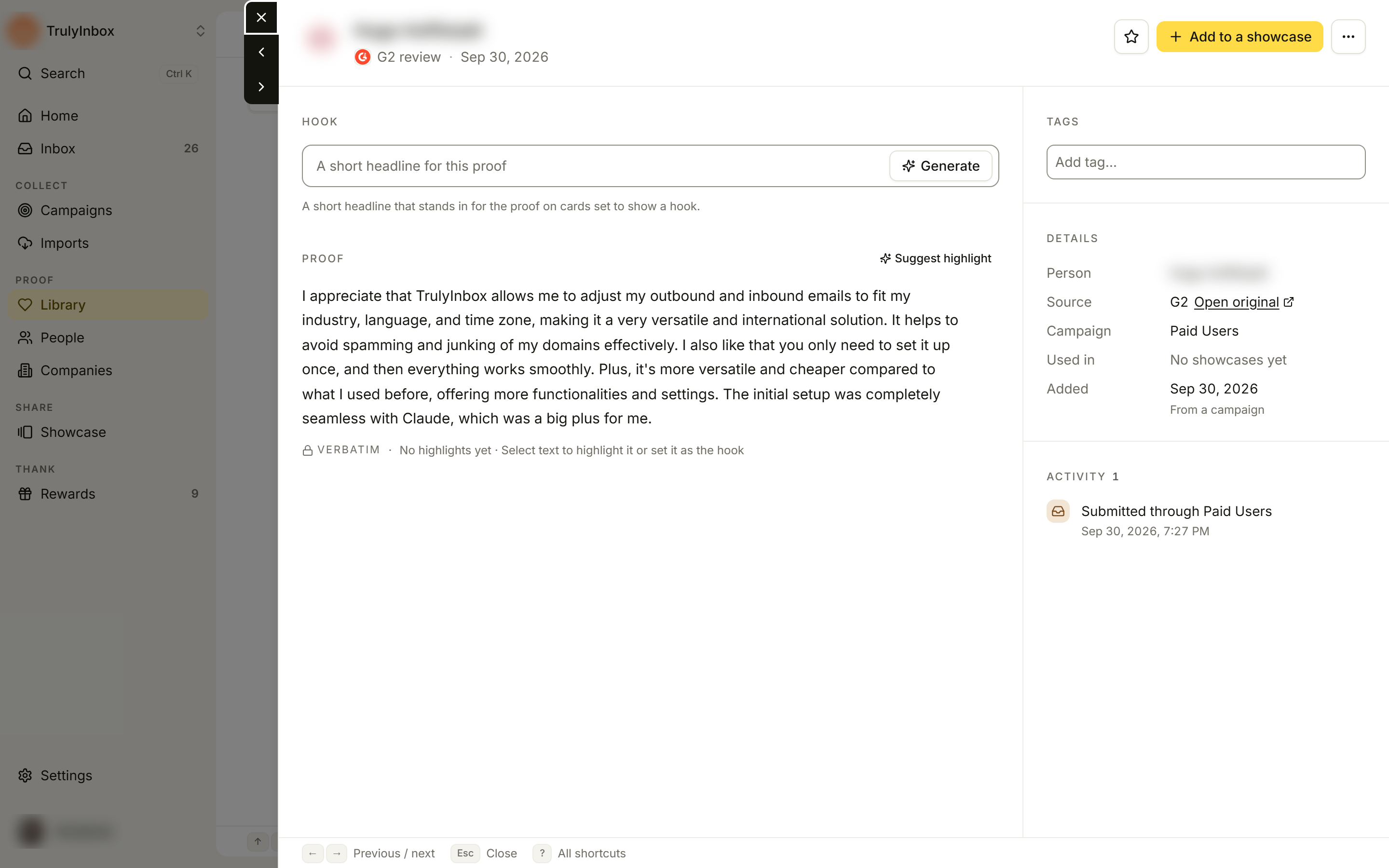
The drawer has its own link (the page URL gains ?proofId=…), so you can copy it and send a teammate straight to that proof.
The header
- Who said it: name, photo, and role · company when we have them.
- Status: when available, a mark such as Verified, Rewarded or Imported sits next to the name.
- Kind and date: for example “G2 review”, “LinkedIn post” or “Video testimonial”, and the original date of the proof.
- Star: add the proof to your favorites, or remove it. See Tag and favorite proof.
- Add to a showcase: tick one or more showcases, then click Done. Nothing changes until you click Done. If a showcase only shows proof above a star rating, a note such as “Below your 4★ rule. It stays hidden there.” warns you before you add it. Create showcase with this proof makes a new widget with this proof in it.
- More proof actions (⋯): Copy text, Open original and Download video. Each only shows when it applies.
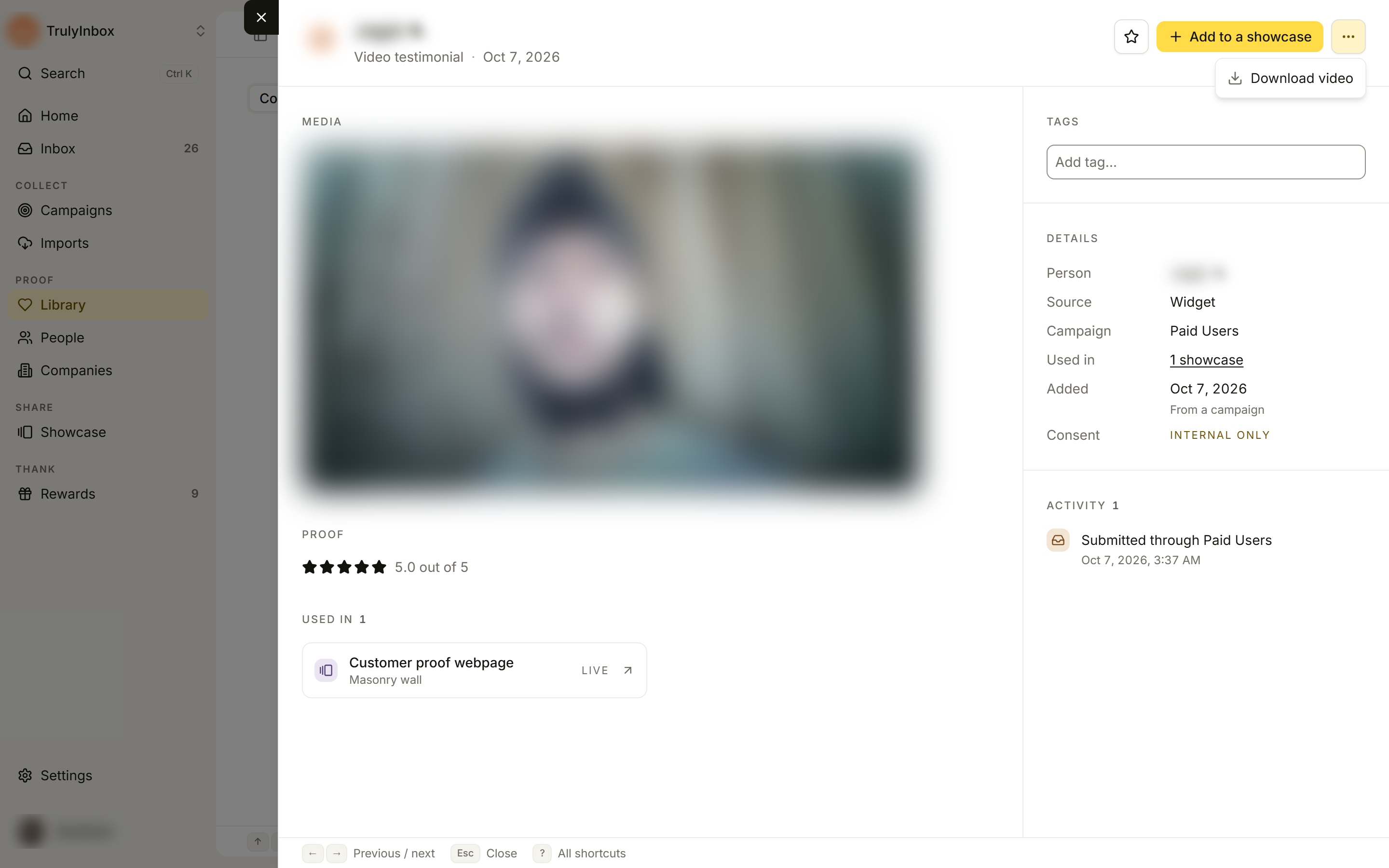
The main column
- Media: the video or screenshots, when the proof has them. Long text below media is shortened; click Show full text to read it all.
- Hook: a short headline for the proof. See Add hooks and highlights.
- Proof: the rating (“5.0 out of 5”) and the customer’s words, marked Verbatim. You can’t edit the text. You can select part of it to highlight it, set it as the hook, or copy it.
- Used in: the showcases this proof appears in, with Live or Off for each. Click one to open it. This section only shows once the proof is in at least one showcase.
The side panel
Tags: add or remove tags.
Details:
| Field | What it shows |
|---|---|
| Person | Who gave the proof. Click the name to open their profile in People. |
| Company | Their company, when known. |
| Source | Where the proof came from (for example G2, LinkedIn or Widget), with Open original when there is a link. |
| Campaign | The campaign that collected it. |
| Used in | How many showcases use it, or “No showcases yet”. |
| Added | When it reached your workspace, with “From a campaign” or “Imported” underneath. |
| Consent | OK to feature, or Internal only when the person did not agree to be featured publicly. |
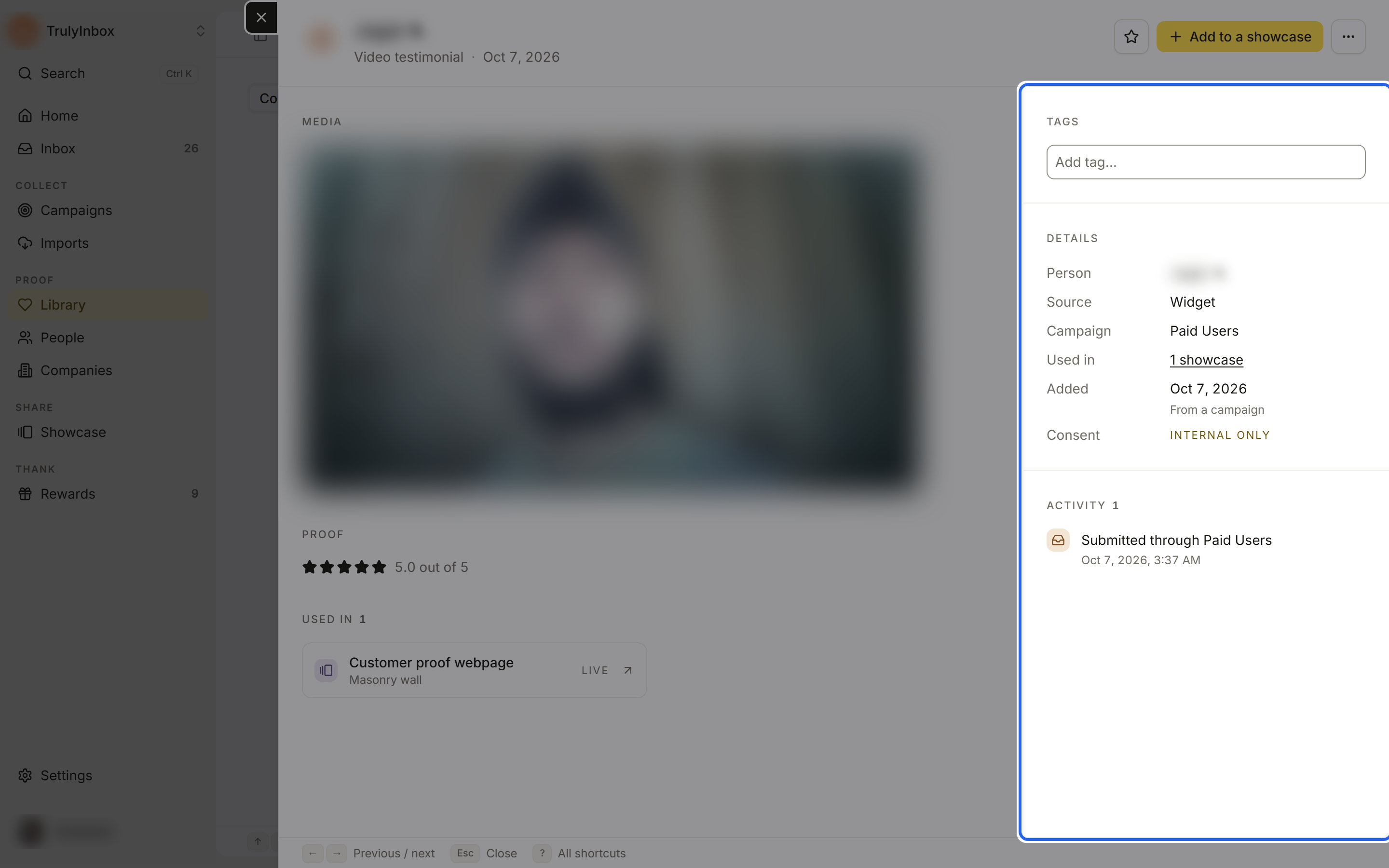
Activity: a timeline of what happened to the proof and who did it. Entries include “Submitted through {campaign}” or “Imported from {platform}”, “Hook set”, “Hook generated”, “Highlight suggested”, “Tagged …”, “Favorited”, and “Added to {showcase}”. Changes made to many proofs at once end in ”· bulk”. Click Show all to see more than 20 entries.
Saving
Changes save on their own. The header shows Saving…, then Saved. If a change fails, it shows Not saved with a link to try again.
Move between proofs
Use the arrows on the left edge of the drawer, or the keyboard:
| Key | Action |
|---|---|
← or k | Previous proof |
→ or j | Next proof |
Esc | Close the drawer |
Paging follows the order and filters of your Library wall.
What isn’t in the drawer
Approving, rejecting and the submission’s question and guidance live in Inbox, not in the Library.