People & Companies
Audience: Marketers and admins
People lists everyone who has given you proof. Companies groups those people by the company they work at. Each record shows the proof that person or company gave you, their rewards, and their activity. Use these pages to find advocates, check who said what, and build lists for outreach or case studies.
Search, filter, sort, choose columns, and save views you use often.
Browse, filter, and save viewsWhat a person or company record shows: profile, snapshot, proof, and activity.
Person and company drawersChange a name, job title, avatar, relationships, company, or social profiles.
Edit a person's profileThe details we look up for a company, and the ones you can edit.
Company details and enrichmentSelect many rows to add a tag, set a relationship, or export a CSV.
Tag, update, and export in bulkWhere to find it
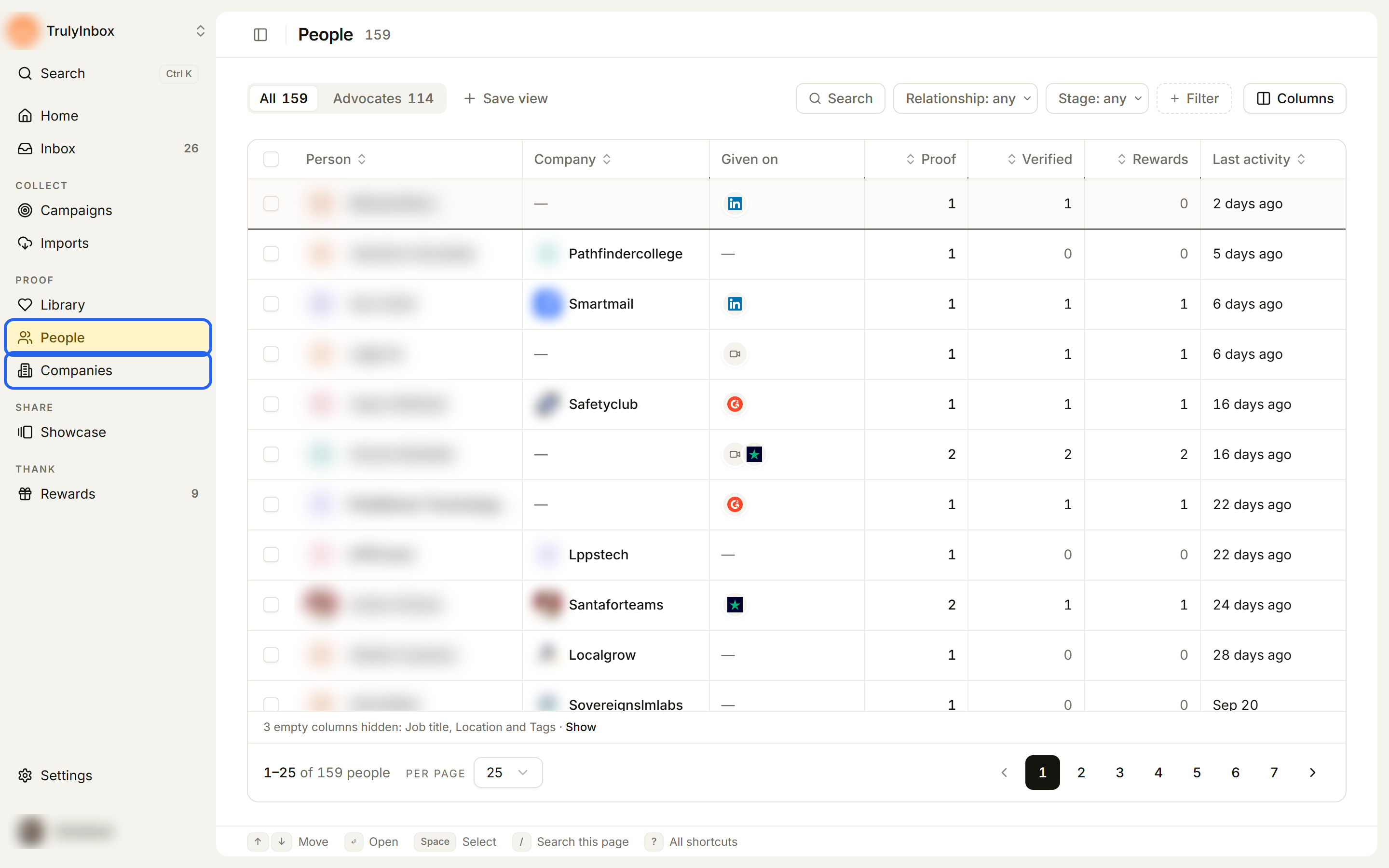
In the sidebar, under PROOF, click People or Companies. They are two separate pages.
How people and companies get here
You don’t add people or companies by hand. HighAdvocacy adds them for you:
- From campaigns: we add each person who sends a submission.
- From imports: we add each reviewer as a person. A work email also adds their company.
We group people into companies by the domain of their work email, so two people at @acme.com show up under one Acme company. You can move a person to a different company later. See Edit a person’s profile.
People who only opened a campaign and never sent anything don’t appear in the list.
The People page
The People page has two built-in tabs:
- All: everyone in the workspace.
- Advocates: people with proof you can use (verified, imported, or rewarded).
By default the table shows Person, Company, Given on (the platforms they gave proof on), Proof, Verified, Rewards, Job title, Location, Tags, and Last activity. You can add more columns, such as Relationship, Stage, social profiles, and your own custom fields.
Each person has a stage that shows how far they’ve come:
| Stage | Means |
|---|---|
| Engaged | They opened a campaign. |
| Submitted | They sent a submission that’s waiting for review. |
| Verified | Their proof was approved. People whose only proof is imported show Imported instead. |
| Rewarded | They got a reward. |
Relationships describe how the person is linked to your business: User, Customer, Employee, Partner, Vendor, Influencer, or Other.
The Companies page
Each row on the Companies page is one company. The table shows the company’s details (such as Domain, Industry, Size, and Location) and its advocacy counts: Verified people, People, and Proof.
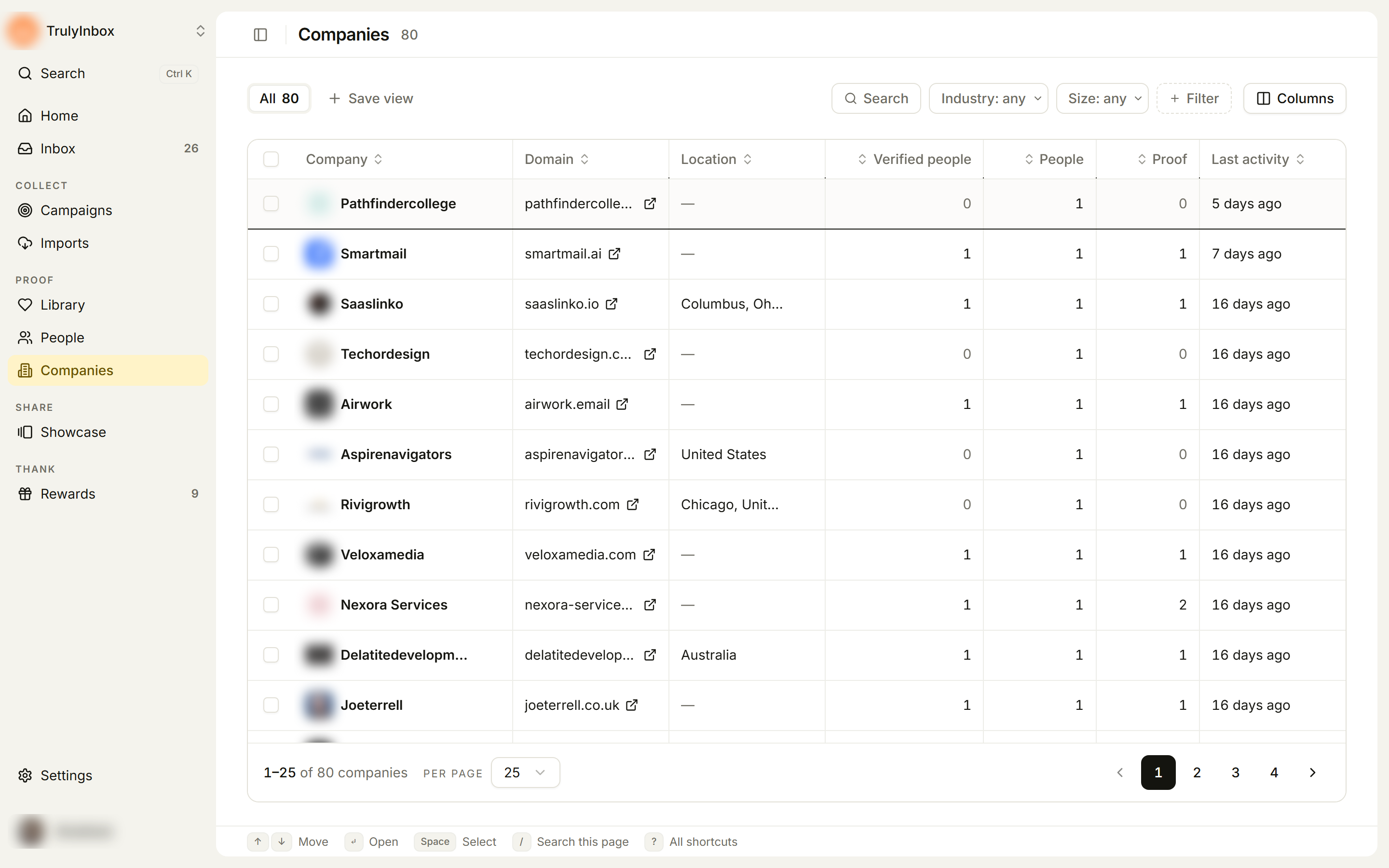
Use it to see which customers gave you the most proof, or which logos you can feature.
What you can do here
- Search, filter, sort, and save views. See Browse, filter, and save views.
- Open a person or company to see their proof and activity. See Person and company drawers.
- Edit a person’s profile and move them to another company. See Edit a person’s profile.
- Edit company details. See Company details and enrichment.
- Tag, set relationships, or export many rows at once. See Tag, update, and export in bulk.
- Add a person or a saved view to your sidebar favourites. See Find your way around.
Related
- Library: all your proof in one place, linked to the person who gave it.
- Imports: bring in existing reviews, which also adds the reviewers here.
- Custom fields: add your own fields to people.