Your Home page
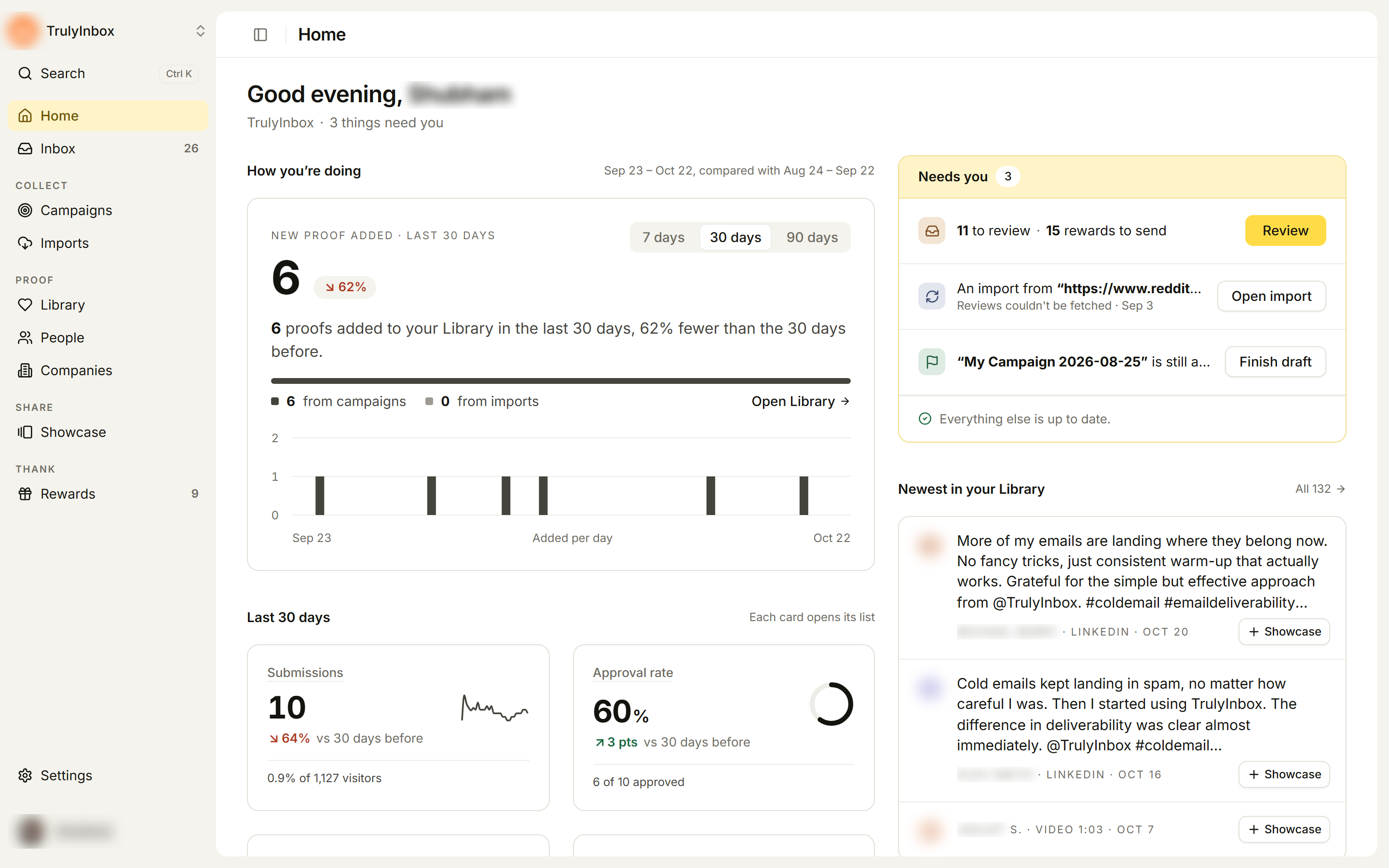
Home is the first page you see when you sign in. It changes as your workspace grows. First it walks you through setup. Later it shows what needs you and how your program is doing. Click Home at the top of the sidebar to get back to it.
While you’re setting up
Right after onboarding, before any proof arrives, Home shows two things.
Get set up lists the steps left to finish setting up, with how many are left, for example “3 steps from your first reward sent.” Each step completes on its own when it happens, and each shows Done, Current step, or Not started.
- After a campaign: Your campaign is live, Send it to your customers, Get your first review, Approve or reject it, Send the reward.
- After a showcase: Your showcase page is published (or widget), Add it to your website, Import more reviews, Invite your team.
Steps have buttons where you can act, such as Copy link, Copy widget code, Copy embed code, Import reviews or Open Inbox.
Add reviews you already have lists the review sites we found during onboarding, with Found on, Rating and Reviews. Click Import on a row to start an import that brings those reviews into your Library. See Import from the web.
To hide the steps, click Hide setup steps. While setup is open, the sidebar also shows a small Get set up card with your progress (for example “2 of 5”) and the next step. Click it to come back to Home.
Once proof starts arriving
Needs you
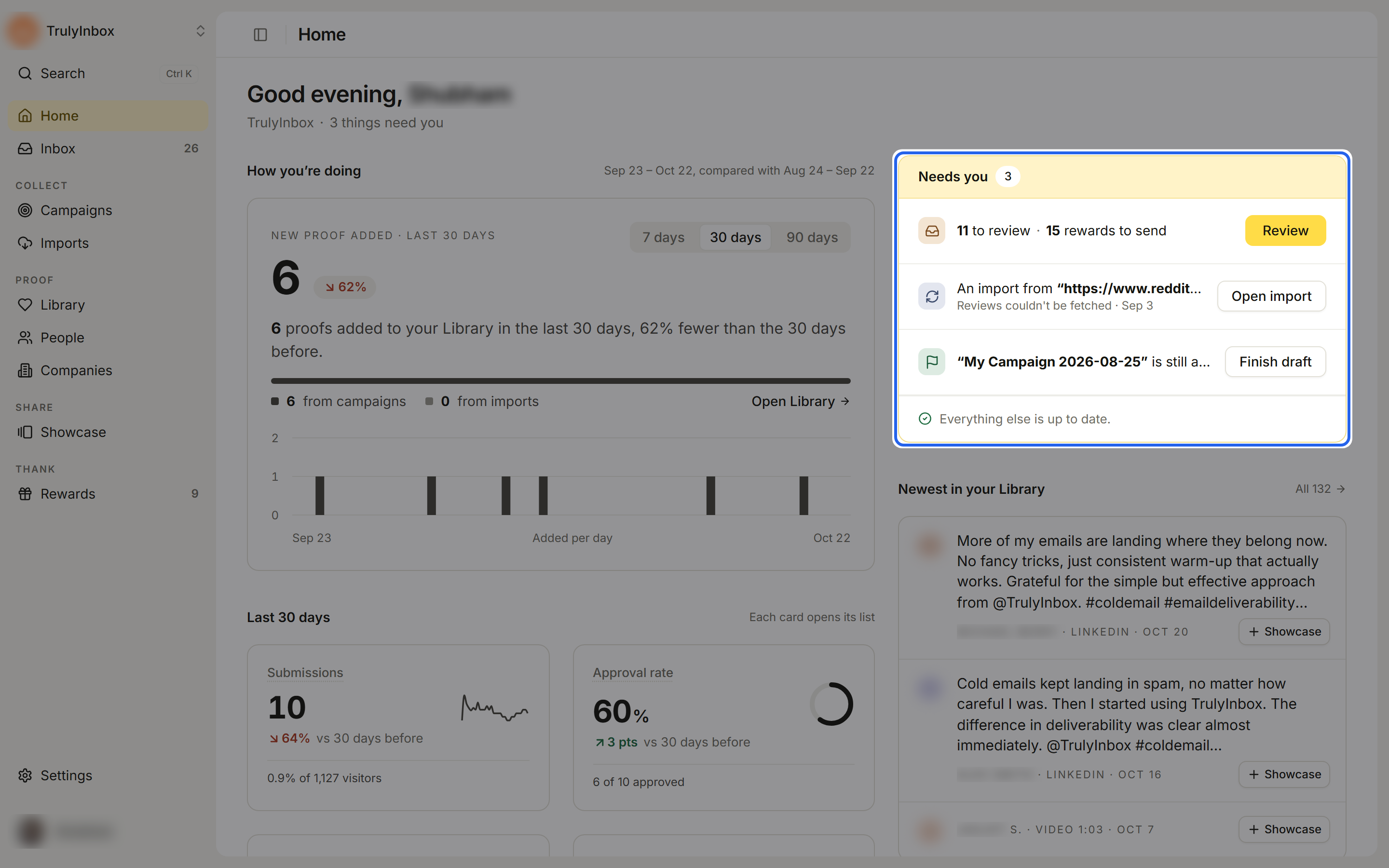
Needs you lists the work waiting on you, with a button for each:
- N to review · N rewards to send: submissions to approve or reject, and approved submissions with a reward you still need to send. Click Review.
- N rewards failed to send: click Retry.
- Someone asked to join: a teammate requested access to your workspace. Click Review to open Settings > Members.
- An import failed: click Open import to see why.
- A campaign is still a draft: click Finish draft.
When there’s nothing to do you’ll see “Nothing needs you right now.”
How you’re doing
New proof added is how much proof reached your Library: approved campaign submissions plus imported reviews. The bar splits it into from campaigns and from imports. Click Open Library to see it.
Pick 7 days, 30 days or 90 days to change the range. Once you have enough data, you also see a chart of proof added per day and the change from the period before. Early on, Home shows totals so far instead.
The four cards
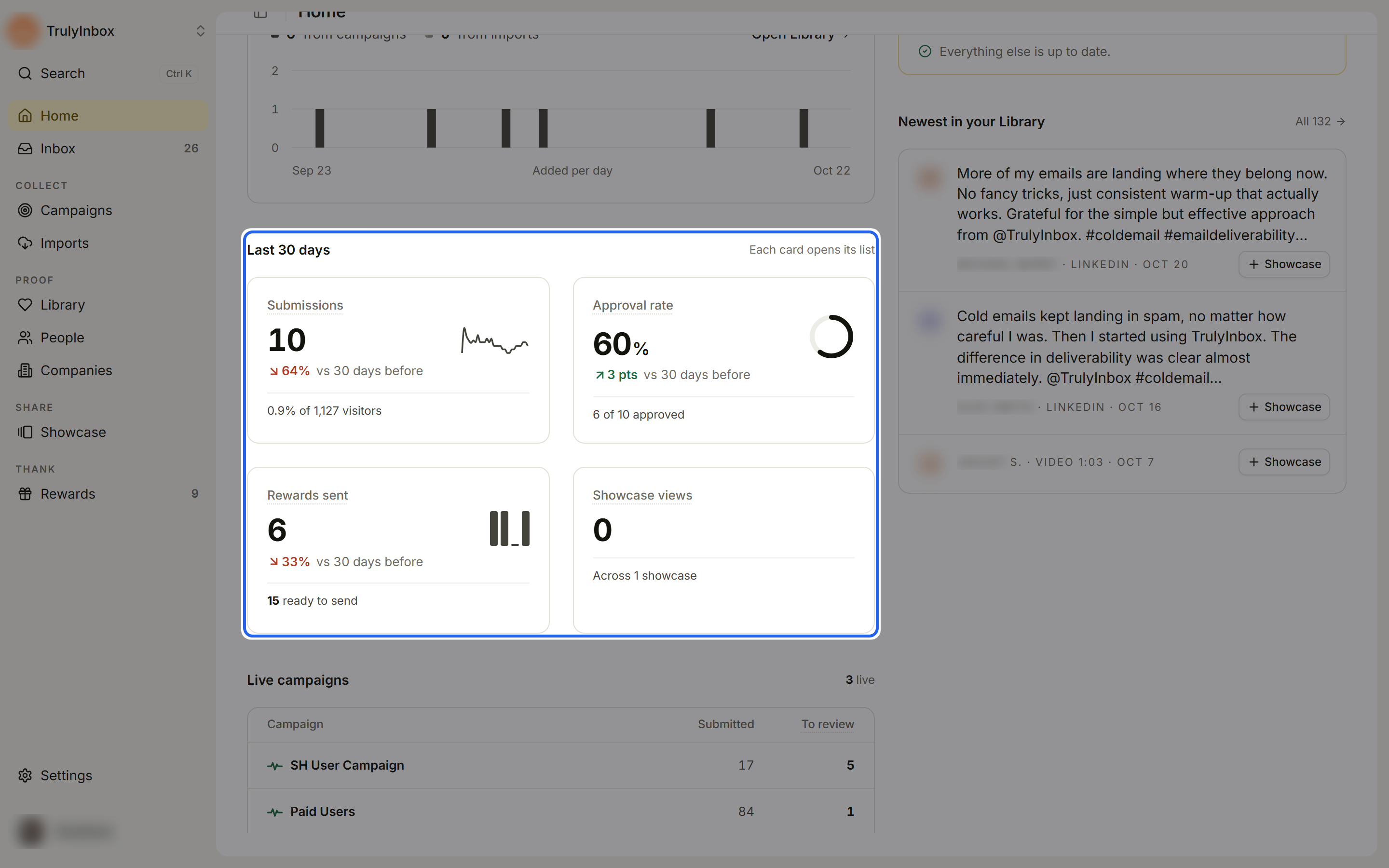
Each card opens its list.
- Submissions: submissions sent to your campaigns in this range, and what share of visitors submitted.
- Approval rate: campaign submissions from this range that you or the AI approved. Imports aren’t counted.
- Rewards sent: rewards created in this range that reached the customer, plus how many are ready to send.
- Showcase views: visits to your showcase pages and widgets. Only the last 30 days are available.
Next step
While you’re still getting started, a Next step panel suggests one thing to do, for example sharing a live campaign that has no submissions yet, or creating a showcase once you have approved proof.
Lists
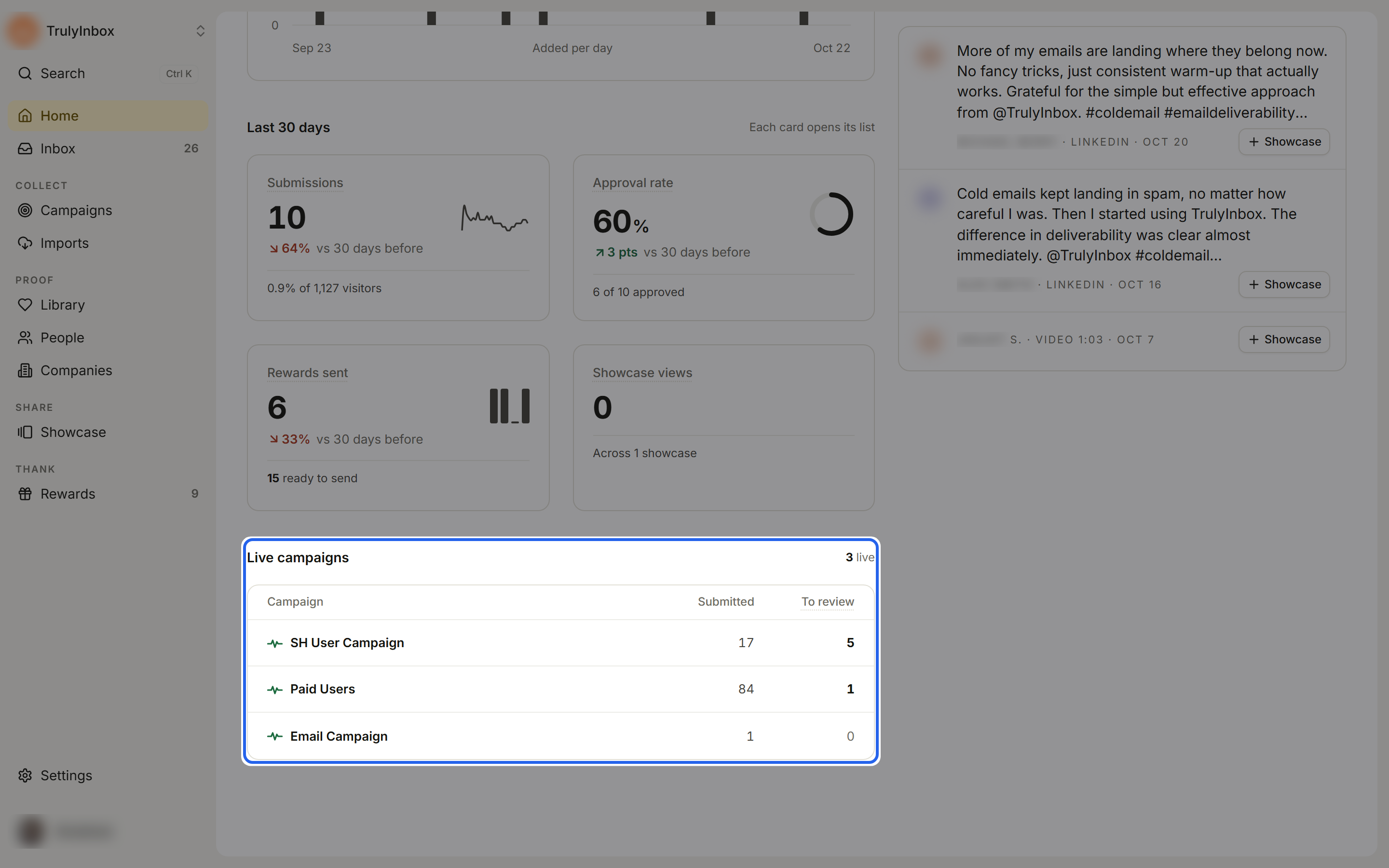
- Live campaigns: your live campaigns with Submitted and To review counts, the most to review first.
- Newest in your Library: your latest proof. Click Showcase on an item to add it to a showcase. Click All to open the Library.
- Sources: connected review sources with how many reviews were imported and the Last sync.