Set rewards for a campaign
Every ask in a campaign has its own reward: each review site, each social post, each engagement and each testimonial. You pick rewards from your Reward catalog, so you set a reward up once and reuse it across campaigns.
Before you start
- Tick your asks on the Asks tab first. The Rewards tab lists only the asks that are on.
- Set up rewards in Rewards → Catalog. You can also create one from the builder (see below).
Pick a reward for each ask
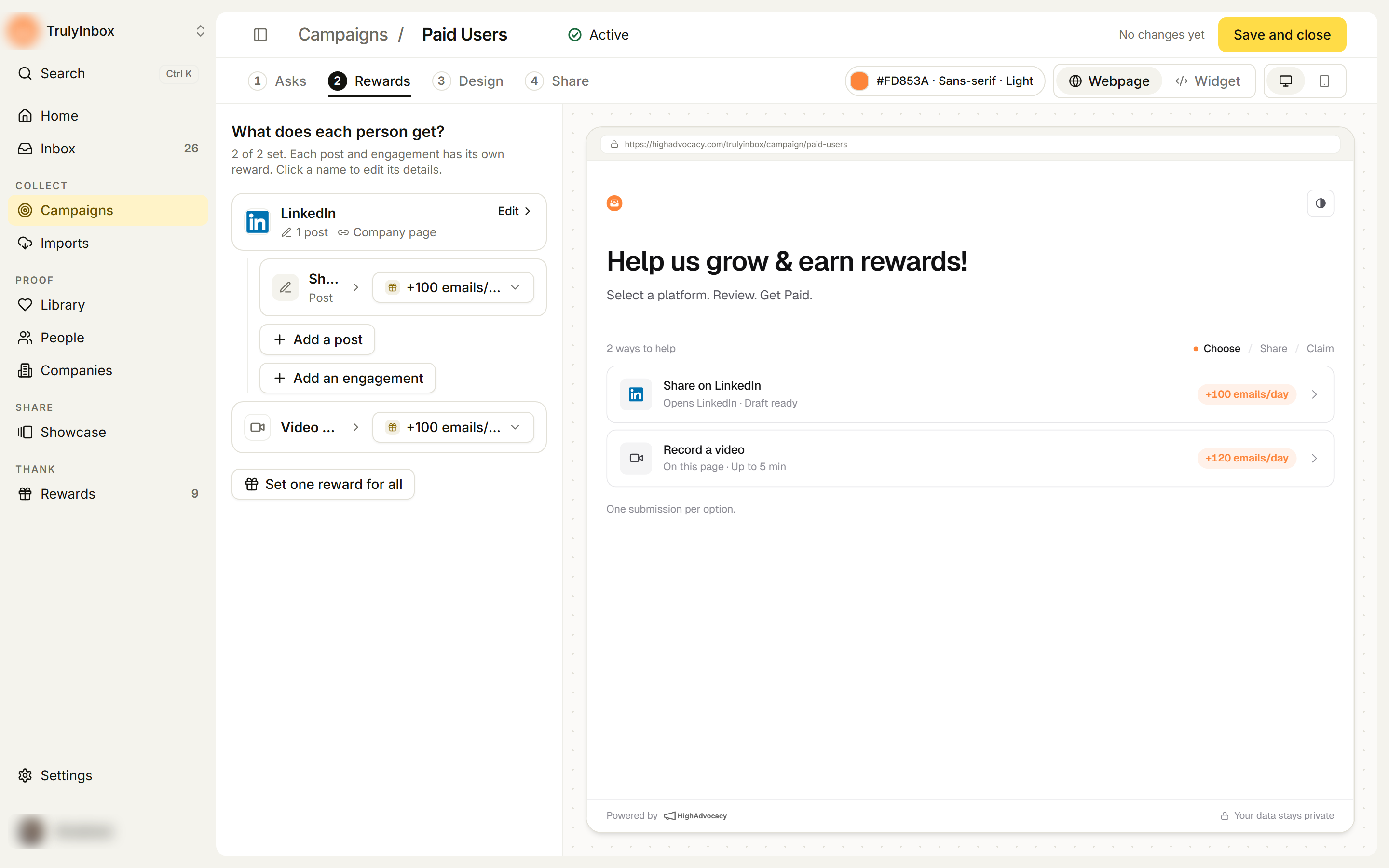
- In the builder, open the Rewards tab. The heading “What does each person get?” shows how many asks are set, for example “2 of 2 set”.
- Click the picker at the end of an ask’s row. It shows the current reward, Our thanks for no reward, or Choose if nothing is picked yet.
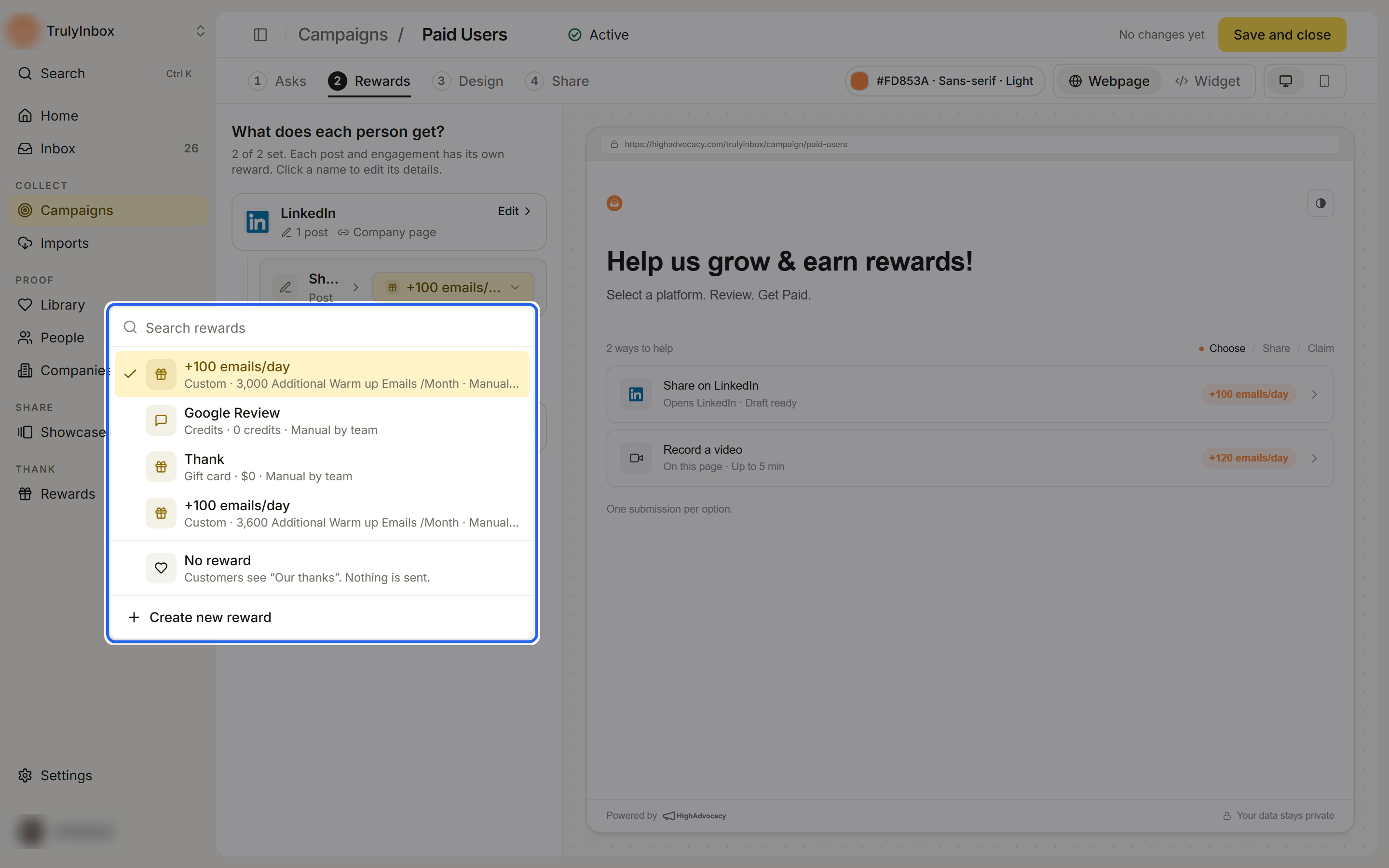
- Pick a reward from the list. Each one shows its type, value and how it’s delivered. Type in Search rewards to filter.
You can also set the reward while editing an ask: it’s the last field in the ask’s details. Or click the reward on a card in the preview to change it there.
Give no reward
Pick No reward to ask without a reward. Customers see “Our thanks” on the option, and nothing is sent.
Set one reward for all asks
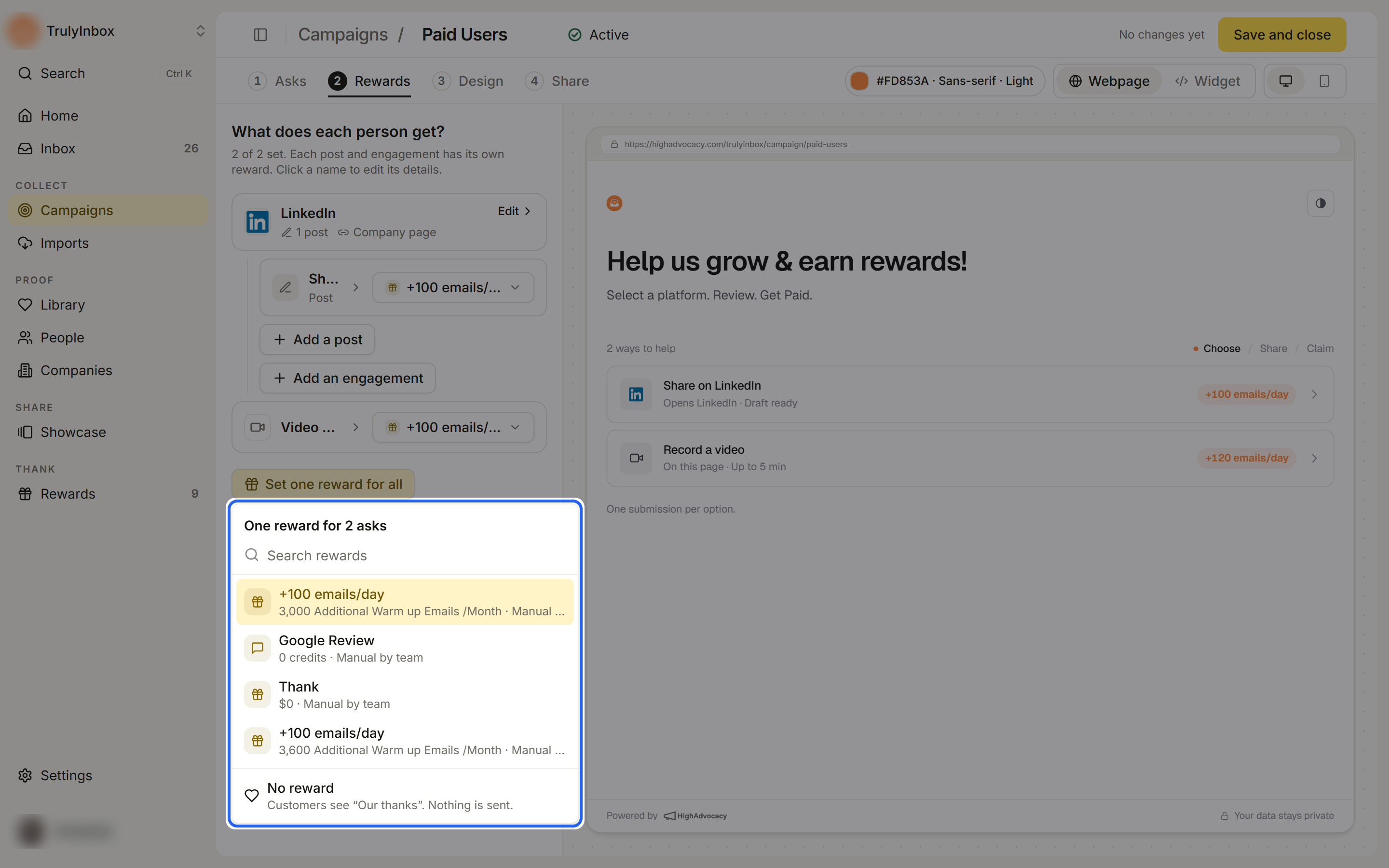
- On the Rewards tab, click Set one reward for all.
- Pick a reward, or No reward. It replaces the reward on every ask that is on.
You see a confirmation such as ““Reward name” set on 3 asks”. You can still change single asks afterwards.
Create or edit a reward from the builder
- Click Create new reward at the bottom of the picker (Create your first reward if your catalog is empty). The reward saves to your catalog and is picked for that ask.
- In an ask’s details, click Edit reward under the picker to change the picked reward in your catalog.
Every ask needs a choice
A new post or engagement starts with no reward picked. Until you pick a reward or No reward, the ask shows “Pick a reward, or “No reward”.” and Go live lists “Name needs a reward or “No reward””.
Change rewards on a live campaign
On a live campaign, a reward change waits until you click Save and close. Click N unsaved changes in the header to see what will change.
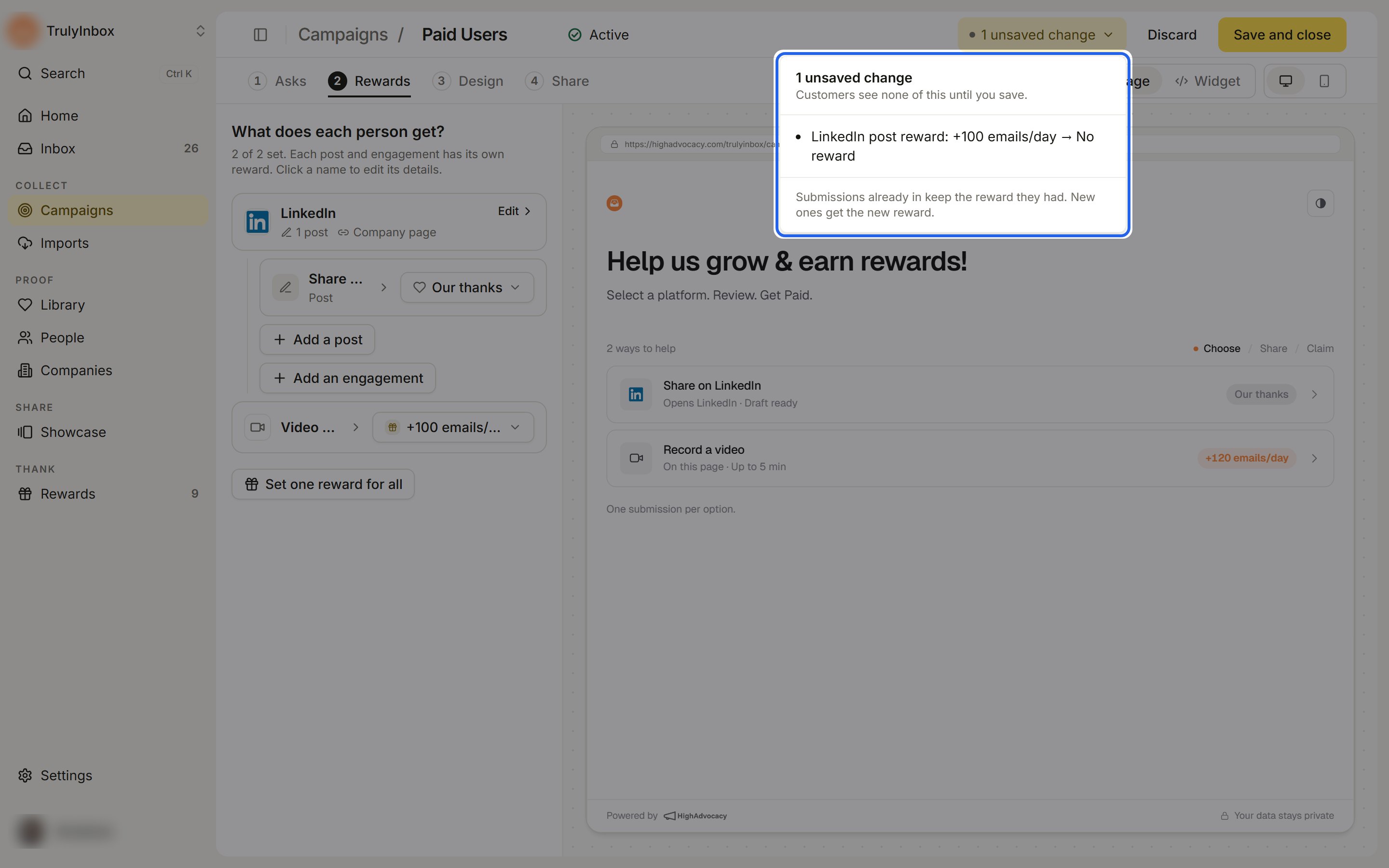
Submissions already in keep the reward they had. New ones get the new reward after you save. See Reward snapshot and history.