Import LinkedIn and X posts
When a customer praises you in a LinkedIn or X post, you can import that post as proof. Paste up to 25 post links at once, check what HighAdvocacy read from each post, and import the ones you want.
Before you start
- Each link must point to one specific, public post. A profile or company page link will not work.
- Accepted links:
- LinkedIn: post links such as
https://www.linkedin.com/posts/example-user_example-post-7123456789012345678-aBcD, andlnkd.inshort links. - X: post links such as
https://x.com/example/status/1234567890123456789.twitter.comandt.colinks work too.
- LinkedIn: post links such as
- Posts from Reddit, Facebook, Instagram, YouTube, TikTok, and Threads can’t be imported this way. Take a screenshot and use Extract from screenshots.
Paste the post links
- Open Collect › Imports.
- Paste one or more post links into the Paste a review page link… field. Paste a list from your clipboard, or separate links with spaces. The badge shows what was detected, for example 3 LinkedIn posts.
- Click Fetch posts.
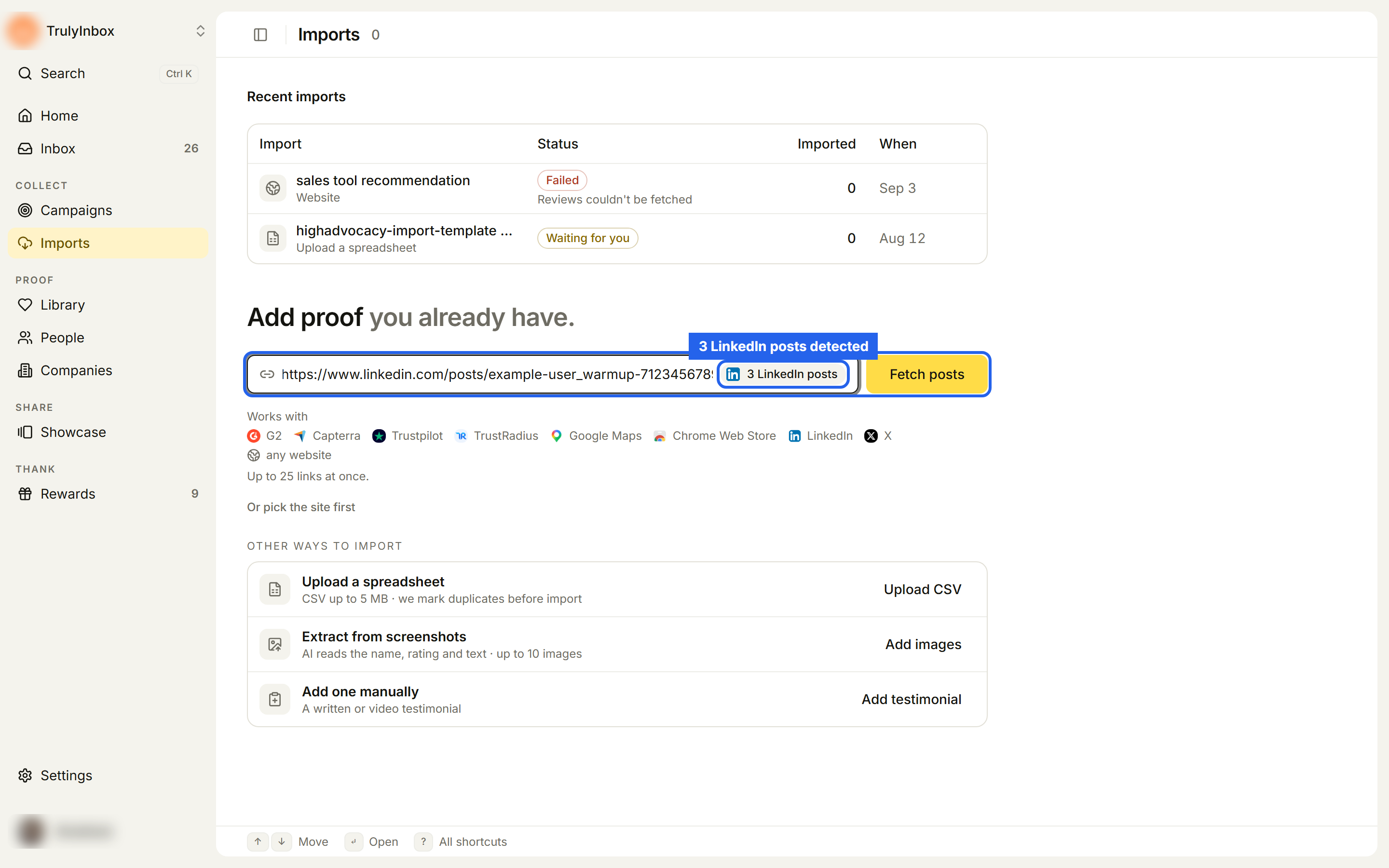
Paste posts from one network at a time. Mixing LinkedIn and X links shows “Paste only LinkedIn posts together, or one source at a time.”
Or pick the network first
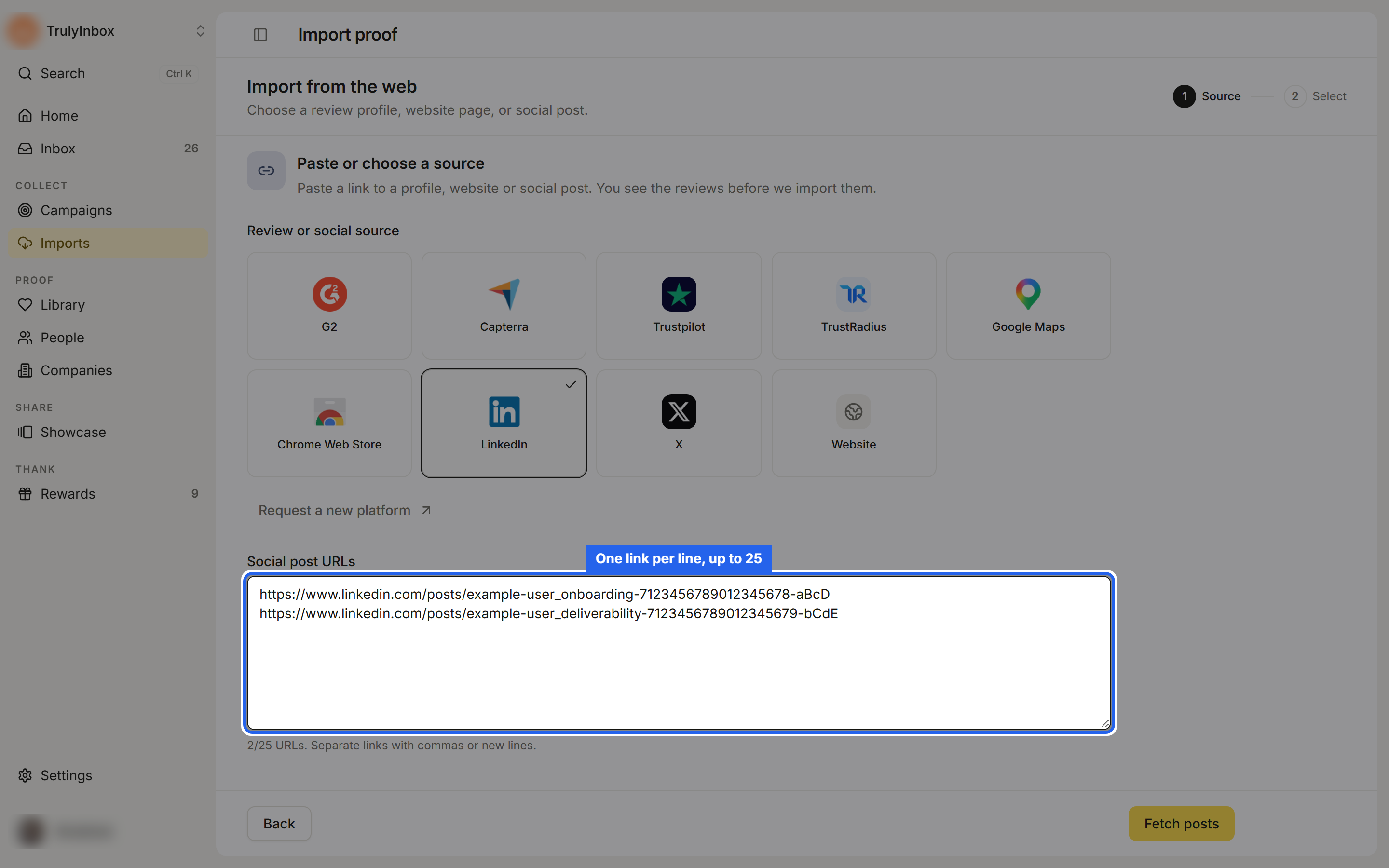
- On Imports, click Or pick the site first.
- Under Review or social source, choose LinkedIn or X.
- Add your links to Social post URLs, separated by commas or new lines. The counter under the field shows how many you have added out of 25.
- Click Fetch posts.
Check what was read
While HighAdvocacy opens and reads the posts, you see Import in progress. You can leave the page; the run shows under Recent imports.
When it is ready, the Import social posts page lists each post with the author and the post text HighAdvocacy found. The steps are Add links, Select, and Confirm.
- Read each post. If the author, text, date, or link is wrong, click Edit, fix it, and click Save social post. HighAdvocacy checks the post again when you save.
- Select the posts you want. A post can be selected once it has an author name and text.
- Click Continue.
- On Confirm, add tags and optional AI hooks and highlights, then click Import N.
Social posts have no star rating, so there is no rating filter or low-rating check for them. See Review and confirm an import for the Confirm step and the result page.
What happens next
Imported posts appear in the Library as Social post proof, marked Imported. Post imports are one-time; they do not sync.
Troubleshooting
“Enter a valid LinkedIn URL, for example …” The link is not a post link. Open the post, copy its own link, and paste that.
“Add up to 25 social post URLs.” Split the links across two imports.
“Social posts could not be imported” HighAdvocacy could not read one or more posts. Check that each post is public, then try again.
A post has the wrong author or text. Click Edit on that post before you import it.