
Your sales rep needs a customer quote. Your G2 profile needs recent reviews. Both requests land with marketing, but each needs its own ask and rights to use the text.
The testimonial vs review choice starts with where the words will go. In a review, a customer shares feedback in a place built to collect it. In a testimonial, you use that feedback in marketing. The same words can count as both.
What is the difference between a testimonial and a review?
| Decision | Review | Testimonial |
|---|---|---|
| Purpose | Share an evaluation of the product or service | Help a reader assess a claim in your marketing |
| Usual destination | A review platform or a website's review section | Your product page, ad, sales deck or customer story |
| Who asks | The customer can volunteer it, or you can request it | Often requested for a specific use; can also start with existing feedback |
| Who shapes the message | The reviewer gives their account under the host's rules | You choose the passage; preserve its meaning and agree on the final use |
| What buyers can check | The full review, date, profile and surrounding feedback, where available | The person's name and role, relevant experience and any linked source |
| Reuse | A public review still needs a reuse check | Approval for one placement may not cover another |
Length, stars and tone don't settle the choice. You can ask for a long review. A testimonial can be one sentence. A quote can keep a caveat that helps a buyer decide.
The FTC's US consumer-rule guide describes consumer testimonials as advertising messages. Consumer reviews can become testimonials when used in marketing. The rule treats endorsements by companies differently from those by people.
Should you collect a review or a testimonial?
Start with the buyer's question. These three cases show what to plan, rather than results from live campaigns.
| Situation | Collect and place | Request and owner | Permission and next action |
|---|---|---|---|
| Your public review profile has little recent feedback | A review on the platform buyers check | Customer marketing invites eligible users to describe their experience, including drawbacks | Follow the platform's invitation rules. Let the customer submit their own review there. |
| A buyer asks how a similar team handled rollout | A relevant written account in the sales follow-up; a live reference if the buyer needs a conversation | The account owner identifies a willing customer with matching experience | Confirm permission for the written use. For a call, separately ask whether they will speak to this buyer, then coordinate it. |
| Your pricing page leaves a setup concern unanswered | A short testimonial beside that concern | Product marketing asks a customer to describe what setup involved | Approve the exact quote, name and role, and pricing-page use. Record the published version and page. |
When a review fits
Ask for reviews when buyers need to check what users think. Choose whom to ask based on their use of the product. Keep people who may criticise it in that group.
G2's rules ban review requests that screen out people who may leave bad feedback or seek only praise. For a quote on your own site, you can start with people who gave a high survey score. Don't make a high score a condition for a G2 request.
For the message, use our review request email templates. Ask for honest feedback, even when you follow up.
When a testimonial fits
Ask for a testimonial when a page or sales message needs to show what a customer did. Focus on the buyer's concern. Ask what setup took, how the team learned the tool or what changed in their work.
Keep the scope. If someone needed help to get started, don't cut their words until they seem to promise an easy setup. Ask them to sign off on the text, name and role before it goes live.
Our testimonial collection guide covers the request and follow-up. Use the testimonial examples to choose a layout.
If a buyer wants to speak to that person, ask whether they will take the call. Their quote doesn't commit them to it.
Can you use a review as a testimonial?
Yes, but check the new use. The FTC explains that consumer reviews used in ads or marketing count as testimonials there.
Work through two checks before moving the text:
- Source terms. Check the review site's reuse rules. G2's reuse table, checked October 29, 2026, sets terms for reviews of your product. To republish or reference them, you need Professional or above. Link to the review and get the customer's opt-in. Those are G2's terms; check each source's own rules.
- The new use. Get the customer's sign-off on the text, name and role. Check who can clear use of the company name and logo. Approval for a pricing-page quote doesn't give you paid-ad rights. Ask separately whether the person will take a call.
Keep a link to the full review so your team can check the quote. Keep words that limit a claim. If a reward or other tie to your company needs to be disclosed, follow the FTC's endorsement guide and the site's rules.
An illustrative pre-release handoff
Suppose a customer has left a G2 review. Marketing wants to use a quote beside the pricing page's setup section.
Check your G2 reuse rights first. Then send the exact text, name and role, and page to the customer. Get the company's sign-off on its name or logo where needed.
This made-up record shows the handoff before the quote goes live. The IDs connect the source, text and rights.
Request ID: T-014 — setup quote for the pricing page
Source ID: R-014 — original G2 review link saved
Exact excerpt version: T-014-v2 — approved text saved
Approval record: A-014 — customer opt-in to T-014-v2, name/role and page
Approved use: T-014-v2 on the pricing page's setup section
G2 rights: required plan checked; backlink uses R-014's G2 URL
Company logo: not requested; not included
Paid ads: not approved
Live reference call: not requested
Release owner: product marketing
Publication: pending final release check
After release: record the page URL, T-014-v2 and release date
If the design team adds the logo, ask for that sign-off before release.
Keep the words and permission together
Open an item in HighAdvocacy's Library. Its drawer shows the words marked Verbatim, plus the source and Consent. That status can show OK to feature or Internal only. When a review has a source link, use Open original to check it.
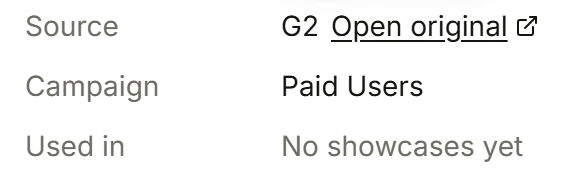
Source and Open original in a public Library documentation example. Original capture date unknown; checked October 29, 2026. Check Consent and approval for the new use separately.
Use that status as a team release check. You still need reuse rights when you import a review or approve it in the Inbox. Save what the person agreed to beside the text. A status label can't tell you whether a quote is cleared for ads or just one page.
For the next request, follow the setup guide for reviews or testimonials. Keep the text ready for your team in the Proof Library. To start your first campaign, open the HighAdvocacy app.